Give your agents  control of your iPhone.
Let your agents use your iPhone just like you do. Open apps, read the screen, tap, swipe and type.

 Claude Code
 Codex
 Cursor
 OpenClaw
 Claude
If you can do it on your iPhone, your agents can too.
 WhatsApp my mom
 book an Uber to the airport
 post this to my Instagram story
 find a coffee shop open now
 warm up my TikTok account
 move my 3pm to tomorrow
 unsubscribe me from newsletters
 find a place in Lisbon for May
 make a playlist for my run
 sum up the top comments
 reply to my mentions
 download this app and sign me up
zeptap does the tapping.
it uses your apps the way you do.
A real run on a real iPhone: Spotlight, a search, a post and its comments. Every step is a tool call, and each one comes back with a screenshot.
- Open App · “Reddit”Spotlight
- Tap Text · “Search Reddit”finds the field
- Type Text · “best ai ugc prompts”keyboard
- Press Key · “enter”search
- Tap Text · “My process for creating AI UGC…”opens the post
- Tap · x 537 y 1127jumps to comments
nothing leaves your Mac.
No account, no Zeptap cloud. The MCP server only listens on this Mac.
it unlocks your phone. only if you say so.
The passcode lives in your Keychain, never in iCloud, and never reaches the agent. One attempt per unlock, and you can switch it off per phone.
bring your own AI. no credits to buy.
The chat signs in to the Claude Code or Codex you already use, so it runs on your Claude or ChatGPT plan. Rather pick the model yourself? Add an OpenRouter key.
 Claude Code
 Codex
 OpenRouter
Plug it in. That’s the whole setup.
Every other way to drive a real iPhone starts with a developer setup. Zeptap starts with a cable.

dev mode stays off. on the phone that matters.
Other tools make you switch it on so unreviewed code can run. That’s fine on a test device, not on the iPhone with your accounts, 2FA codes and bank.
nothing to sign.
Other tools put a helper app on your iPhone that only runs with a valid signing profile, and free ones expire every 7 days. Zeptap installs nothing on the phone.
no Apple developer fee.
No membership, no team, no certificates. Your iPhone and your Mac are enough.
 Zeptap
no dev tools. one Mac app.
No Xcode, command line tools or iPhone drivers. Download the app, plug in your iPhone and you’re set.
Download. Connect. Put your agents to work.
Three steps, about two minutes.
- 1
Download Zeptap
One Mac app. Drag it into Applications.
- 2
Plug in your iPhone
One cable. Nothing to install on the phone.
- 3
Give it a task
In Zeptap’s chat, or from Claude Code, Codex or Cursor.

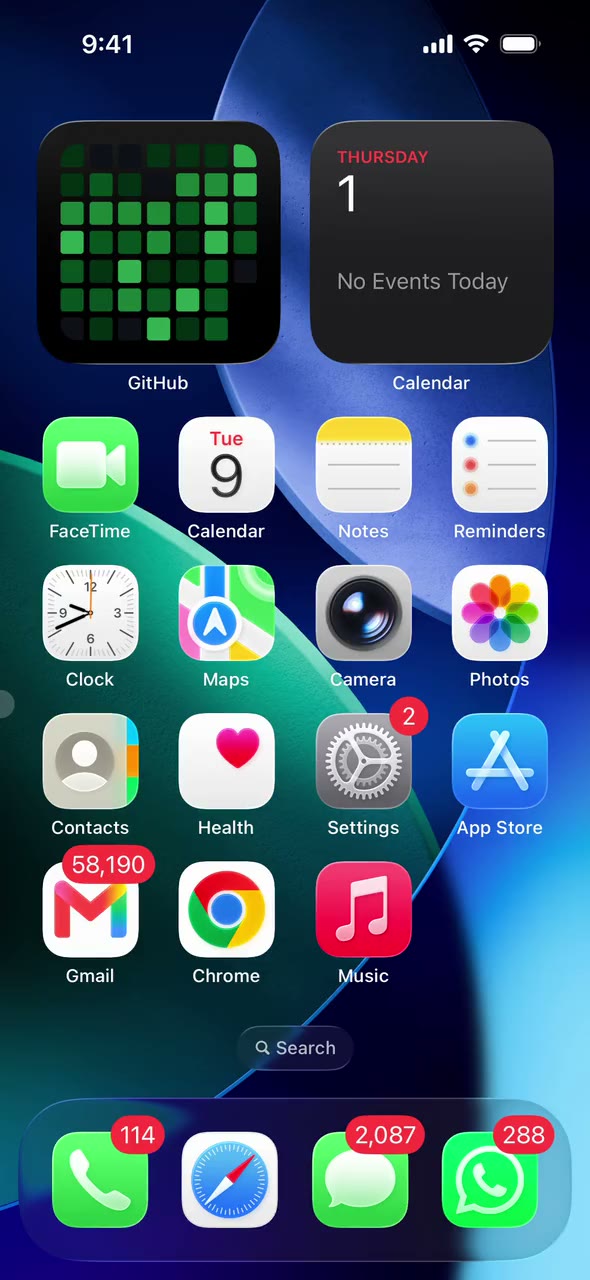


iPhone Use Skills.
Your own apps and logged-in accounts. No APIs, no connectors.


New accounts, grown like a real person would.


Find buyers and ideas where people actually talk.


Every DM and comment, answered in your voice.


not a simulator. not a device farm.
| Feature | Zeptap | iOS Simulator | Device farms |
|---|---|---|---|
| A real iPhone | Yes | No | Yes |
| Any App Store app | Yes | No | Yes |
| Your accounts, iMessage and iCloud | Yes | No | No |
| Runs on your own Mac | Yes | Yes | No |
| Nothing to install on the phone | Yes | Yes | No |
| Plugs into your agent over MCP | Yes | No | No |
Pay once. Put your agents to work for life.
Monthly
Month to month. Cancel anytime.
- 1 iPhone or iPad
- Works with Claude Code and Codex
- Runs on your Mac, no cloud
- Every update while subscribed
Lifetime
Pay once, keep it for good.
- 1 iPhone or iPad
- Works with Claude Code and Codex
- Runs on your Mac, no cloud
- Every update, no renewals
 Best value · 50% off
Lifetime Plus
For teams running several accounts.
- Up to 5 iPhones / iPads at once
- Works with Claude Code and Codex
- Runs on your Mac, no cloud
- Every update, no renewals
Download and try it free before you pay. Use your own iPhone and Mac, no extra hardware.
questions?
The docs go deeper, and they're written for agents to read too.
How does Zeptap work?
Your Mac sees the iPhone's screen over the USB cable and taps, swipes and types on it as a Bluetooth keyboard and pointer, through AssistiveTouch. Agents drive it through a local MCP server on your Mac.
Is this an iOS Simulator?
No. Simulators run a virtual copy of iOS that can't install App Store apps or use your accounts. Zeptap drives your real, physical iPhone.
What can it use?
Anything on your iPhone: App Store apps, Messages, Settings, Safari, Photos. If you can tap it, your agent can.
Do I need to install anything on my iPhone?
No. The only step on the phone is pairing it with your Mac over Bluetooth. Zeptap turns on AssistiveTouch for you over USB.
Do I need Xcode or an Apple Developer account?
No. There's no Xcode, no developer mode, no signing and nothing to re-install every week. Download the app, plug in the iPhone and pair Bluetooth.
Which agents work with it?
Claude Code, Claude Desktop, Codex, Cursor, Hermes and OpenClaw can be connected in one click. Anything else that speaks MCP can connect to http://127.0.0.1:47801/mcp. There's also a built-in chat that runs Claude Code or Codex on your own subscription.
Where does my data go?
Zeptap has no account and no cloud. The screen is captured and read on your Mac, and the MCP server only accepts connections from this Mac. Screenshots go to the agent you connect, and from there to its model provider.
Can it unlock my phone?
Only if you turn it on. Your passcode is stored in the macOS Keychain (not iCloud), is never shown to agents, and each unlock makes a single attempt so a wrong passcode can't lock you out.
What does it cost?
$25 a month or $99 once for one iPhone, or $199 once for up to 5 iPhones at the same time. You can download it and try it free before you pay.
What do I need?
A Mac on macOS 14 or later with Bluetooth, an iPhone, and a USB cable. Quit other apps that act as a Bluetooth keyboard for the iPhone first, since only one can hold the connection.
Plug it in tonight. Wake up to the work done.
no Xcode · no developer account · nothing installed on the phone