
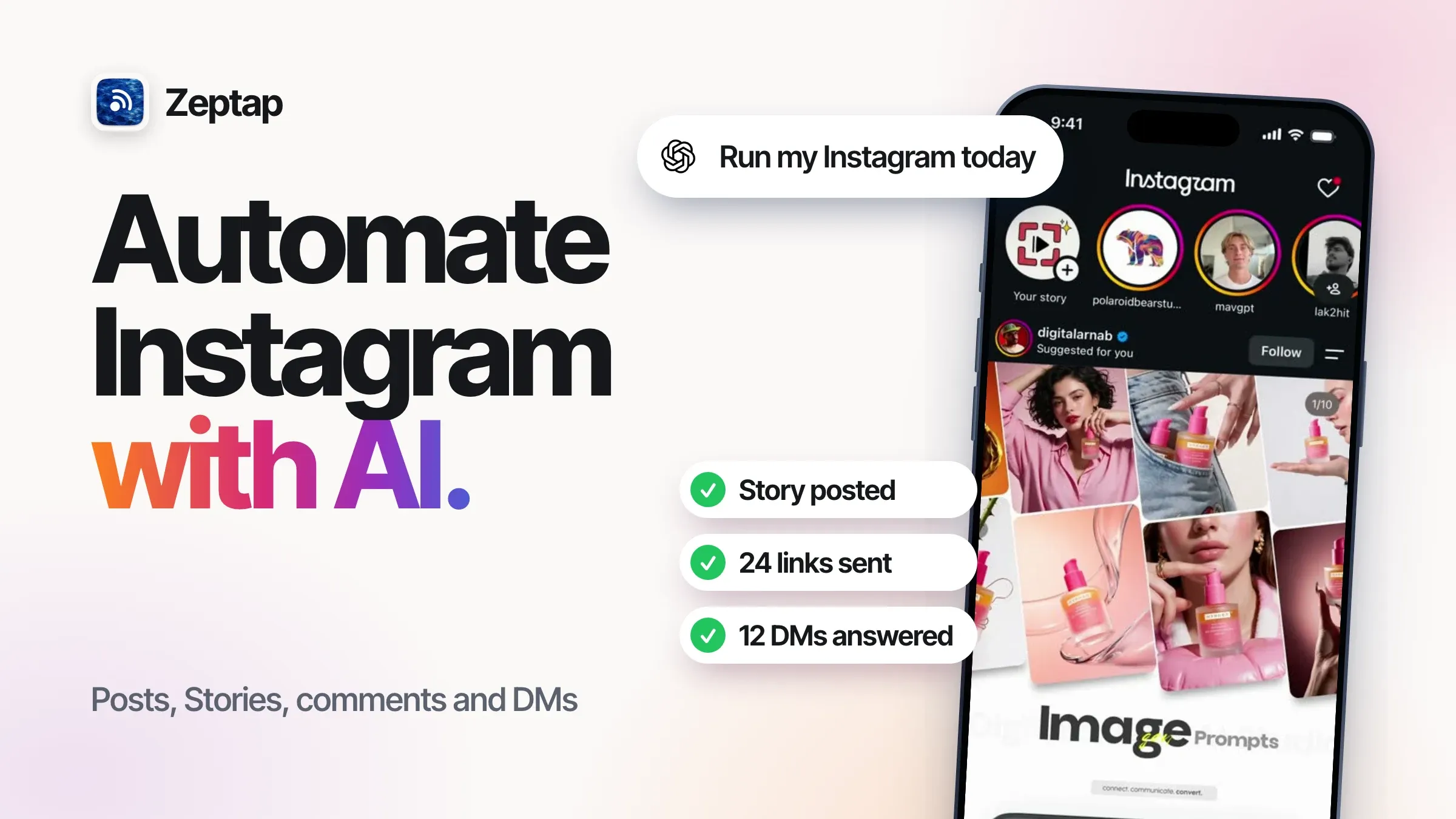
Running an Instagram account is a second job. Posts, Stories, comments, DMs, finding the right people, keeping up with your niche. And Instagram is big enough that it's worth it: 3 billion people use it every month (Reuters).
Your audience won't wait, either. 68% of people expect a brand to reply on social within 24 hours, and 55% would rather DM a company than comment in public (Sprout Social).
So you search "how to automate Instagram." Here's what nobody tells you up front: it isn't one job. It's five, and each one needs a different tool.
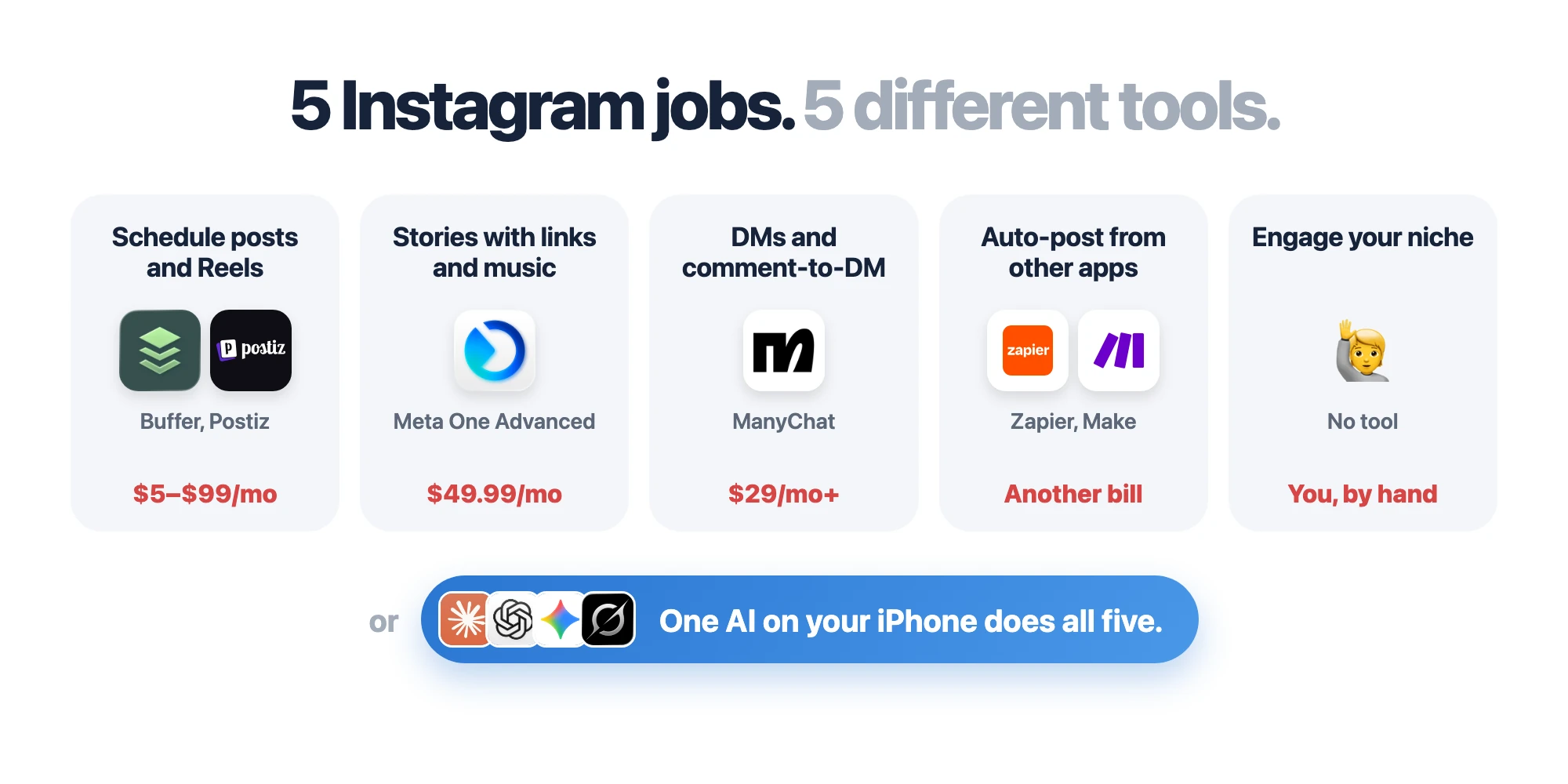
Automating Instagram means 5 different jobs
When people say "automate Instagram," they mean some mix of these. Here's which Instagram automation tool each job takes today.
|
What you want to automate |
What people use |
The catch |
|---|---|---|
|
Schedule posts and Reels |
Buffer, Later, Postiz, Hootsuite |
Business accounts only. $5 to $99 a month |
|
Post Stories with links, music or polls |
Meta One Advanced, or by hand |
$49.99 a month. Tools can't add stickers |
|
Reply to DMs and DM the link to commenters |
ManyChat |
Keyword flows only. $29 a month and up |
|
Auto-post from other apps |
Zapier, Make |
Another account, another bill |
|
Engage your niche and find inspiration |
Nothing. You do it by hand |
No tool does this |
Five jobs, four tools, four logins, four bills. And the job that actually grows your account, talking to the right people, still lands on you.
Why every Instagram tool hits the same walls
Almost every Instagram tool, from Buffer to ManyChat, sits on top of Meta's API. That's the official door for software, and it was built for simple, repeatable jobs: publish this file, send this reply. It's why schedulers are great at feed posts, and why they all stop in exactly the same places.
Those places are written in Meta's own docs:
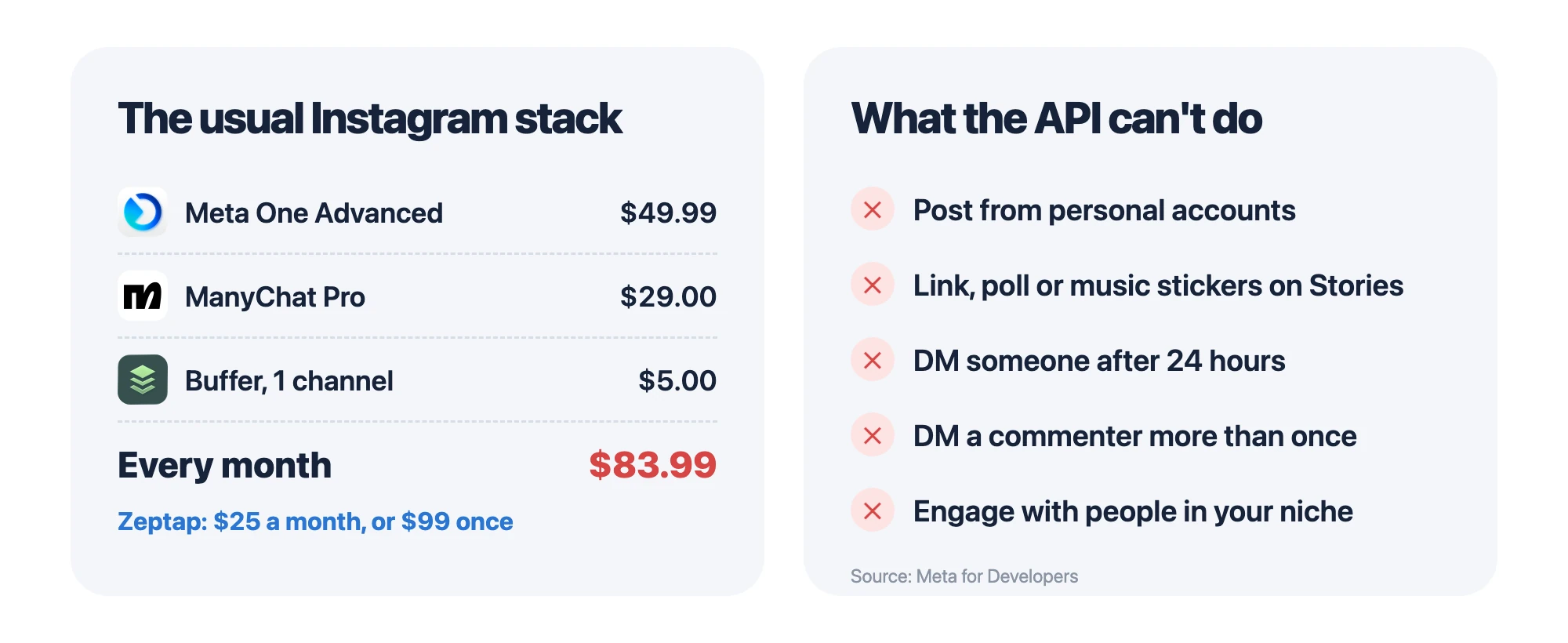
- Business accounts only. The API only works with professional accounts.
- No stickers on Stories. "Publishing stickers (i.e., link, poll, location) is not supported" (Meta). No library music either.
- A 24-hour clock on DMs. Tools can only message someone within 24 hours of their last message.
- One DM per comment. A comment gets one private reply, within 7 days.
And you pay for every layer. Meta One Advanced ($49.99) + ManyChat Pro ($29) + Buffer ($5) = about $84 a month, before anyone has written a caption.
The 5 ways to automate Instagram, compared
|
|
Instagram app scheduler |
Meta One Advanced |
Schedulers (Buffer, Postiz) |
ManyChat, Zapier |
Phone use (Zeptap) |
|---|---|---|---|---|---|
|
Personal accounts |
✅ Public accounts |
❌ |
❌ |
❌ |
✅ |
|
Stories with links, polls, music |
❌ |
✅ |
❌ |
❌ |
✅ |
|
Replies to comments and DMs |
❌ |
Meta AI replies |
Some tools |
✅ Keyword flows |
✅ Reads the whole chat |
|
Engages your niche |
❌ |
❌ |
❌ |
❌ |
✅ |
|
Who does the work |
You, by hand |
Meta |
The tool |
The bot |
Your AI |
|
Price (Oct 2026) |
Free |
$49.99/mo |
$5–$99/mo |
$29/mo and up |
$25/mo or $99 once |
1. Instagram's scheduler: free, but you still do it all by hand
The scheduler lives inside the Instagram app on your phone. You still make every post yourself: pick the photos, edit them, write the caption, add the tags. The only thing it automates is the moment the post goes live.
- Create a post or Reel and write your caption.
- Tap More options and turn on Schedule this post.
- Pick a date and time, then tap Schedule.
You can schedule up to 25 posts a day, 30 days ahead. It doesn't do Stories.
2. Meta One and Meta Business Suite
Meta One launched on 15 September 2026. Its Advanced tier, $49.99 a month, includes scheduling Stories up to 30 days ahead and clickable links in posts and Reels. The free Meta Business Suite lets you plan posts from a computer and has simple Inbox automations: an instant reply, an away message and up to five exact-match keywords.
3. Schedulers: Buffer, Later, Postiz, Hootsuite
Schedulers give you a content calendar and post while your laptop is closed. Buffer starts free, then $5 a month per channel. Later starts at $18.75 a month. Postiz, an open-source scheduler you can also host yourself, starts at $29 a month and comes with an MCP server, so an AI like Claude can schedule through it. Hootsuite starts at $99 a month per user.
They all post through the API, so they all share its walls. For a Story with a sticker, most just ping your phone at posting time so you can finish it yourself.
4. ManyChat, Zapier and Make
ManyChat runs keyword DM flows and comment-to-DM links: $29 a month (billed yearly) for 2,500 contacts, then you pay per contact. Zapier and Make post to Instagram when something happens somewhere else, like a new product in your shop. All of them need a business account and live inside Meta's 24-hour and 7-day windows.
5. Phone use: your AI uses the Instagram app
The only method that covers all five jobs, because it uses Instagram the way you do. Here's how it works.
Meet phone use: Instagram automation in the real app
AI already got computer use. ChatGPT agent and Claude can work a desktop by looking at the screen, clicking and typing. Phone use is the same idea for your iPhone.
Zeptap is a Mac app that turns your iPhone into another computer for your AI. Plug the iPhone into your Mac, and Claude, ChatGPT, Gemini or Grok can open Instagram, read the screen, tap and type, signed in to your accounts like you are.
If you can do it on your phone, your agent can do it too. No APIs. No developer accounts. No stack of tools to pay for.
And it scales. Instagram lets you stay logged in to up to 10 accounts at once, so one iPhone runs 10 accounts. Zeptap runs up to five iPhones at the same time: up to 50 accounts from one Mac. Unless you manage more than that, you don't need the API stack at all.
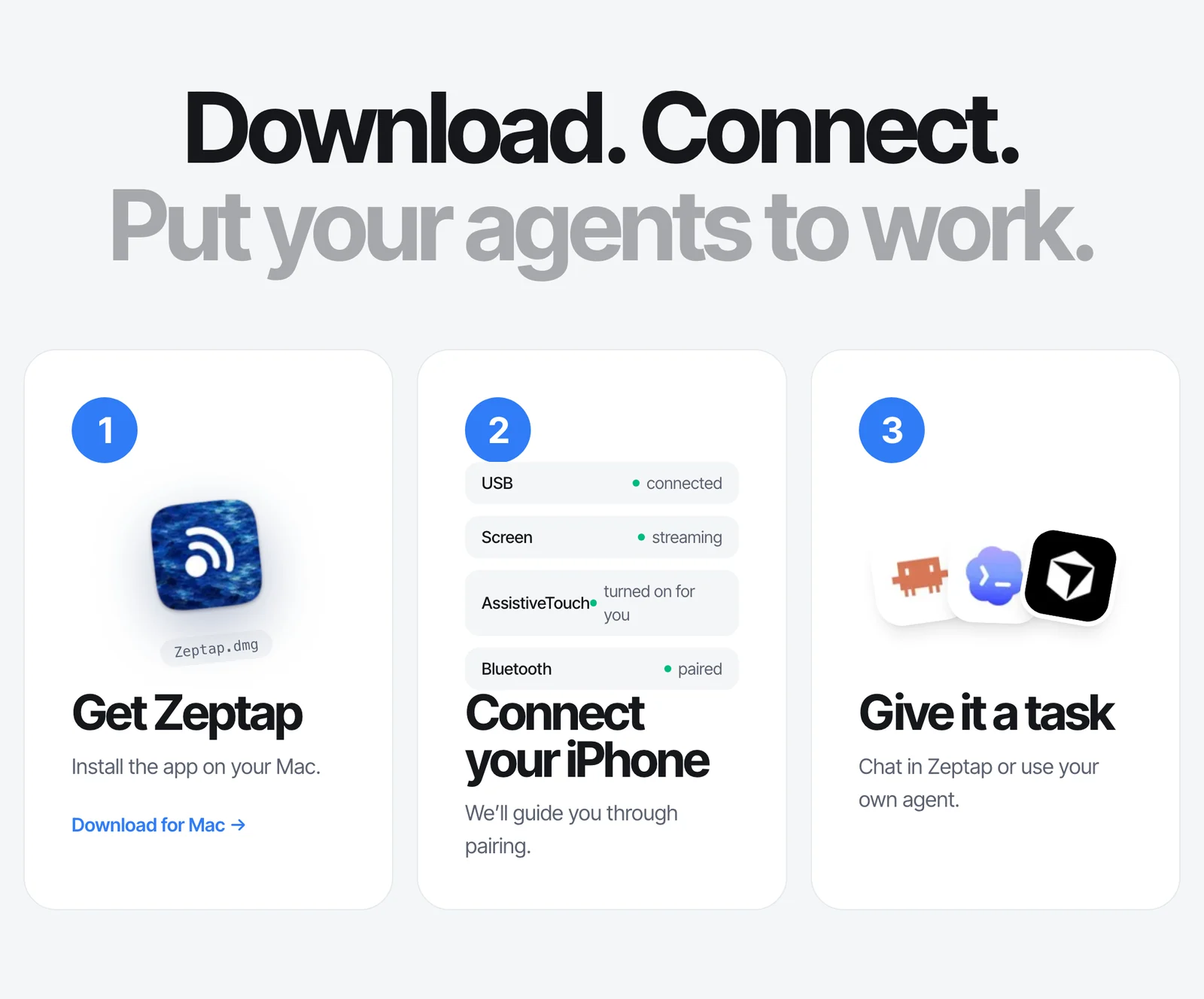
Setup takes 2 minutes:
- Download Zeptap and plug in your iPhone.
- Sign in with Claude or ChatGPT, or add an OpenRouter key for Gemini and Grok.
- Tell it what you want done on Instagram.
What you can automate on Instagram with AI
You talk to your agent the way you'd brief an assistant. Here's what people hand off first.
Post Stories with links, polls and music
No scheduler can put a sticker on a Story. Your agent uses Instagram's own Story editor, so it can.
Put the 3 photos from my Launch album on my Story. Add a poll to the first one asking if people want the new blend, and a link to my shop on the last one. Let me see it before it goes up.
Post Reels and carousels, and finish your drafts
Your agent pulls media from your camera roll, writes captions from your notes and finishes the drafts you never got back to. For posts that should go out later, it uses Instagram's own scheduler, so they publish even with your Mac off.
I've got 3 Reels in my October album. Schedule them for Tuesday, Thursday and Saturday at 6pm, with the captions from my "October posts" note.
DM the link to everyone who comments
The classic "comment LINK and I'll send it to you." No keyword setup, no contact limits. Your agent reads the comments and sends each person the link.
Everyone who commented "LINK" or asked for the link on my last Reel, DM them my shop link. Don't message anyone twice.
Answer customer DMs and comments
A bot answers from a script. Your agent reads the whole conversation, including message requests, Story replies and the screenshots customers send, and answers from your own price list.
Go through my DMs and message requests. If anyone's asking about price or delivery, answer from my FAQ note. Show me each reply before you send it, and tell me if anyone sounds upset.
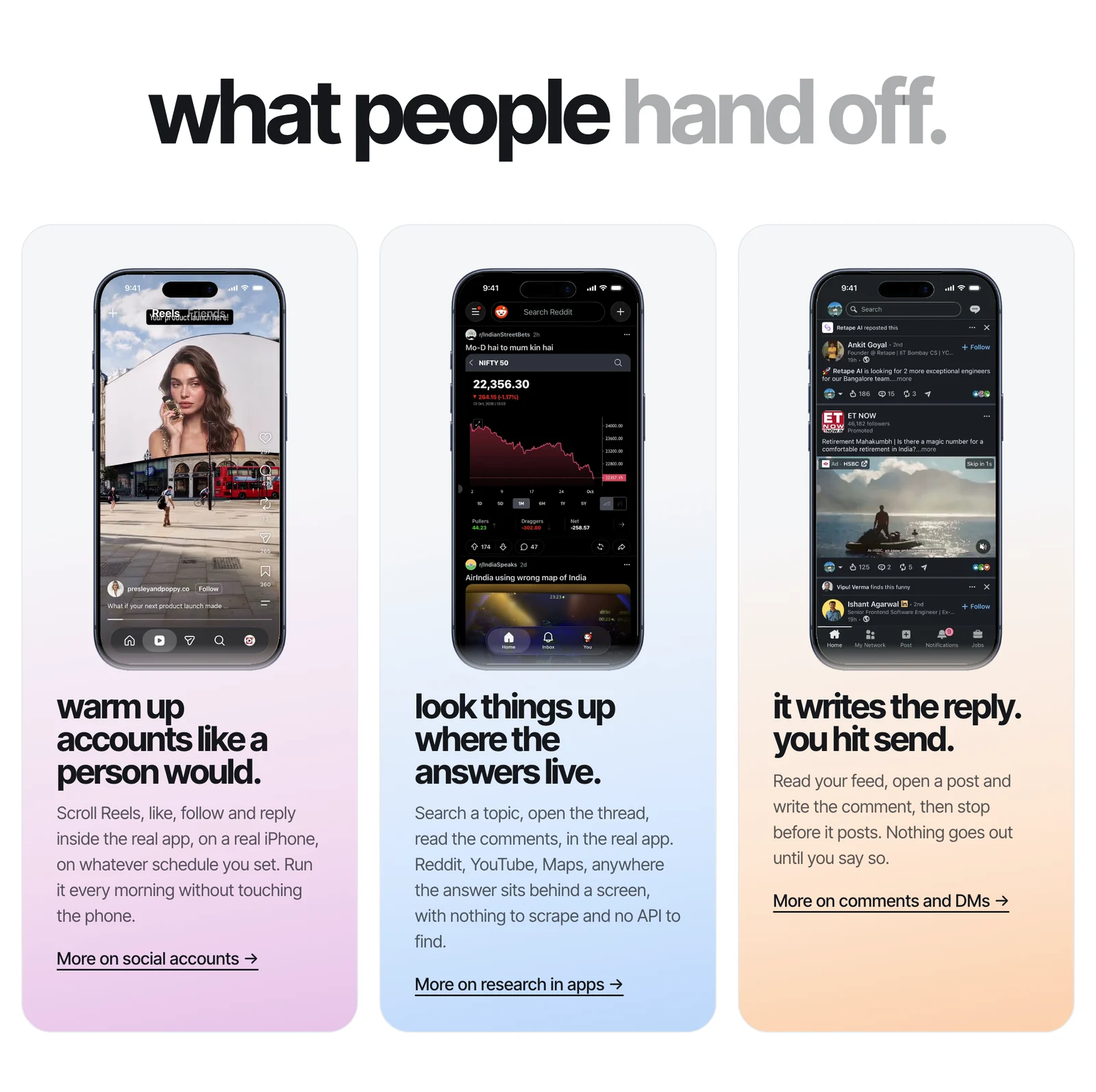
Engage with the right people in your niche
Accounts grow by showing up where their audience already hangs out. Your agent finds those posts and drafts comments worth reading, not "great post 🔥".
Find 10 posts about home espresso from this week where I could add something useful. Draft a comment for each in my voice, and I'll approve them.
Save inspiration from your niche
Want to know what's working? Your agent finds the top Reels in your niche and saves them where you can study them.
What are the most-viewed espresso Reels this month? Save the top 15 to a collection called "Inspo" and tell me how each one opens.
Run multiple Instagram accounts
Your agent switches accounts like you do, up to 10 per iPhone. Plug in more iPhones, and it works on all of them at once.
Check all 4 of my accounts, reply to today's new comments, and tell me which one got the most DMs.
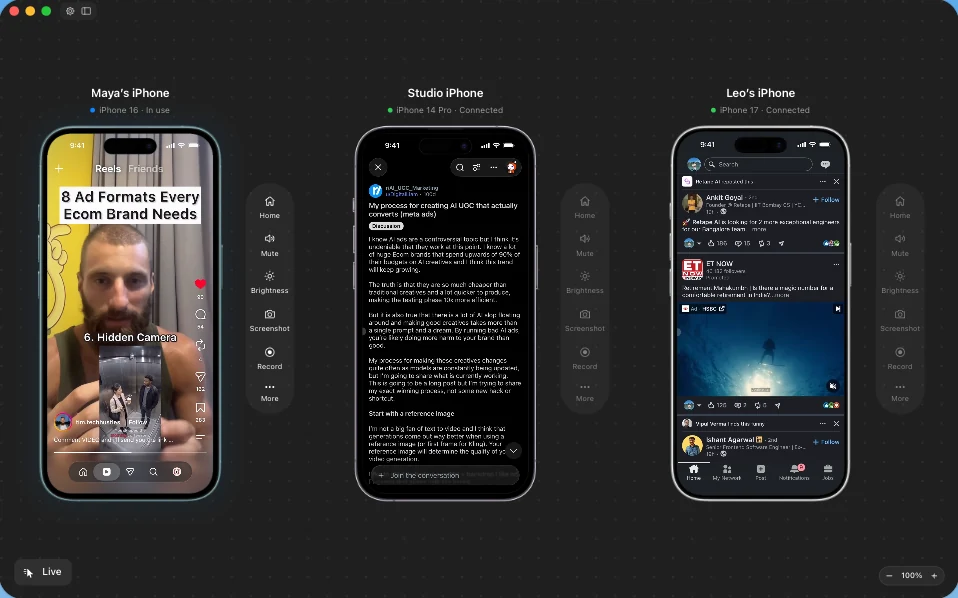
More ideas in social media use cases and comments and DMs.
How to add a link to an Instagram Story
- Create your Story and tap the sticker icon at the top.
- Choose Link, paste the URL and, if you like, change the sticker text.
- Place the sticker and share.
Schedulers can't do this for you, because the API doesn't support link stickers. Your agent can, because it uses the same Story editor you do.
One AI. One iPhone. Every Instagram job.
Every tool in this guide exists for one reason: software couldn't use the Instagram app. So each one does a slice. A scheduler for posts. Meta One for Stories. A bot for DMs. And nothing at all for the part that actually grows your account.
Now your AI can use the app. It posts the Story with the link sticker. It sends the link to everyone who commented. It answers the customer stuck in message requests. It finds the people in your niche worth talking to. Same app, same accounts, one assistant, on the AI plan you already pay for.
Try it free first. Then it's $25 a month, less than ManyChat alone, or $99 once for one iPhone. Up to five iPhones is $199 once. See pricing
Download Zeptap and give your AI your Instagram →
Instagram automation FAQ
Can I automate Instagram for free?
Partly. Instagram's own scheduler is free, but you still make every post by hand; it only picks when it goes live. Meta Business Suite adds free canned DM replies. Story scheduling, DM bots and AI replies all cost money.
Can ChatGPT post on Instagram for me?
Not by itself. With Zeptap, ChatGPT (or Claude) uses the Instagram app on your iPhone to post, reply and comment for you. ChatGPT or Claude can also schedule through Postiz or Buffer, but only from a business account and without Story stickers.
Do I need a business account to automate Instagram?
For schedulers, ManyChat and Zapier, yes. With Zeptap, no. Your agent uses the app, so it works on personal, creator and business accounts.
Can I schedule Instagram Stories?
Yes, with Meta One Advanced at $49.99 a month, or with tools that post Stories from business accounts, without link, poll or music stickers. With Zeptap, your agent posts Stories with stickers whenever you ask.
How do I DM everyone who comments on my post?
ManyChat does it with keyword flows, on business accounts, within Meta's limits. With Zeptap, just tell your agent: "DM my shop link to everyone who commented LINK." It works on any account.
What's a good alternative to ManyChat?
If you want real replies instead of keyword flows, an AI agent that uses the Instagram app. It reads each conversation, answers from your own info and has no contact limits. It works when you ask it to, not as an always-on bot.
Can AI answer my Instagram DMs?
Yes. ManyChat and Meta's AI answer instantly, within Meta's messaging rules. With Zeptap, your agent answers DMs, message requests and Story replies in the app, and shows you each reply first.
How many Instagram accounts can I run with AI?
Instagram lets you stay logged in to 10 accounts per app. With Zeptap, one iPhone runs 10 accounts, and five iPhones run up to 50 from one Mac.
What is phone use?
Phone use is when an AI agent uses a phone like another computer. It sees the screen and taps, swipes and types in real apps like Instagram. Zeptap brings phone use to your iPhone.
Does scheduling posts hurt my reach?
There's no public evidence that Instagram shows scheduled or API posts to fewer people. Meta hasn't said either way.