
Zeptap vs Opposable at a glance
 Zeptap Zeptap |
 Opposable Opposable |
|
|---|---|---|
| What it is | A Mac app that lets an AI agent see, tap, swipe and type on your iPhone | A phone agent for Android, plus a Mac app (beta) for iPhone |
| Where your agent works | Your own iPhones, in your signed-in apps | Your own Android or iPhone, or a rented cloud Android phone |
| What you need | A Mac on macOS 14+, an iPhone on iOS 15+ | Android 11+; for iPhone, iOS 18+ and an Apple silicon Mac (or its Stick on Windows/Linux) |
| Pricing | $99 once (1 iPhone) or $149 once (up to 5) | Free; Pro $8/mo; Power $29/mo; cloud phones from $19/mo |
| Best for | iPhone owners who want several phones and would rather pay once | Android users, anyone who wants a free start or Windows/Linux |
Choose Opposable if you use Android, want to start free, or need cloud phones, scheduled tasks or Windows/Linux support.

Choose Zeptap if your work happens on iPhones, you want up to five at once on a released Mac app, and you’d rather pay once.
What Zeptap does that Opposable doesn't
every iPhoneon iOS 15 or later.
Home-button models included, on a Mac with macOS 14. The old iPhone in your drawer is a perfectly good agent phone.
Opposable: Its iPhone support needs iOS 18 or later and an Apple silicon Mac, and is still in beta.
five iPhones.one prompt.
Plug in up to five iPhones (Lifetime Plus). The built-in chat starts a sub-agent on each one, they work in parallel, and the lead agent sums up what each did.
Opposable: How many iPhones its Mac app runs at once isn't stated.
Full comparison
| Zeptap |
Opposable |
|
|---|---|---|
| Phones | iPhone, iOS 15 or later, including Home-button models | Android 11+ app; iPhone on iOS 18+ through Opposable for Mac |
| iPhone status | Released | Beta (version 0.2.1); not yet notarized by Apple |
| Real phone or cloud | Your own iPhones | Your own phone, or rented cloud Android phones |
| Your App Store apps and accounts | Yes, signed in as you | Yes on your own phone; some banking apps won’t run on its cloud phones |
| Setup | Mac app; nothing installed on the iPhone; no Xcode or developer account | iPhone: Mac app, nothing on the phone. Android: install the APK and enable it in Accessibility |
| Computer | Mac, macOS 14+ | iPhone: Apple silicon Mac, macOS 14+, or Windows/Linux with an Opposable Stick (about $8–13) |
| AI agents | Built-in chat; one-click Claude Code, Claude Desktop, Codex, Cursor, Hermes, OpenClaw; any MCP client | Mac app: Claude Code, Codex, Claude Desktop. Android: any MCP client; Claude and ChatGPT connectors (14 days free per phone, then Pro) |
| Built-in agent | Chat in the Mac app on your Claude or ChatGPT plan, or an OpenRouter key | On-device agent on Android; none stated for the Mac app |
| iPhones at once | Up to 5 with Lifetime Plus | Not stated for the Mac app; Power plan covers up to 10 phones |
| Scheduling | None built in; it works when you run it | Scheduled tasks and saved routines on the Android app |
| Pricing model | Pay once, or $25/mo | Free, then monthly or yearly plans |
| Free option | First hour free | Free plan for use on the same network or cable |
Sources: getopposable.com (features, pricing, FAQ), getopposable.com/mac (iPhone requirements, beta version) and Zeptap pricing, all checked October 14, 2026.
What it costs over a year
Opposable Free covers local use. Pro adds remote access; Power covers up to 10 phones.
| Plan | Year 1 | Year 2 (total) |
|---|---|---|
| Opposable Free | $0 | $0 |
| Opposable Pro, monthly ($8 × 12) | $96 | $192 |
| Opposable Pro, yearly | $79 | $158 |
| Opposable Power ($29 × 12) | $348 | $696 |
| Zeptap Lifetime, 1 iPhone | $99 | $99 |
| Zeptap Lifetime Plus, up to 5 iPhones | $149 | $149 |
Plainly: for one phone next to your computer, Opposable Free costs nothing. Pro monthly passes Zeptap Lifetime’s $99 in month 13 ($104), and Power passes Lifetime Plus’s $149 in month 6 ($174). Zeptap’s case is iPhone support and five phones at once, not price.
Prices from each vendor’s site, October 14, 2026. Zeptap prices are introductory. Opposable’s founding offer is Pro at $5/mo for life.
Where Zeptap is different
Five iPhones, one Mac
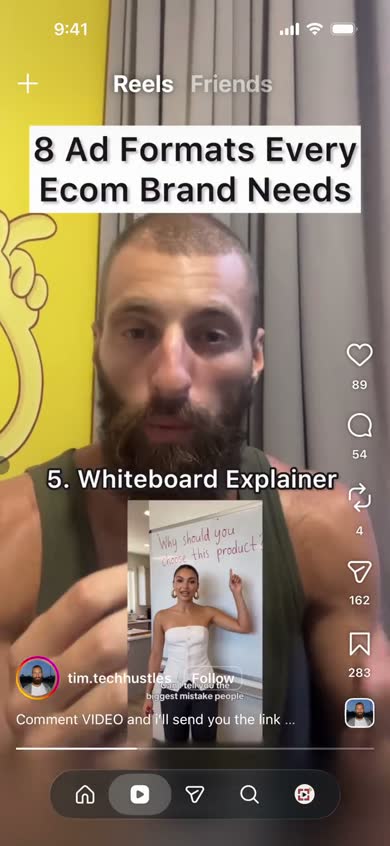
Lifetime Plus runs up to five iPhones at once, each signed in to its own accounts. → Multiple accounts
“On each iPhone, open Instagram and list today’s unanswered DMs.”



Older iPhones work too
Zeptap supports every iPhone on iOS 15 or later, Home-button models included. Opposable’s iPhone setup, a Mac app in beta, needs iOS 18 or later. → App testing
“Open our app on the iPhone SE, sign up with the test account and tell me where it breaks.”
Chat built into the app
Type a task in Zeptap’s chat on your own Claude or ChatGPT plan; no terminal needed. It is designed to check with you before purchases. → Everyday tasks
“Find my last coffee filter order on Amazon and add the same pack to my cart. Ask before buying.”




When Opposable is the better pick
No tool fits everyone. If one of these sounds like you, Opposable is the better choice.
You use AndroidIts phone app is free, has an on-device agent and waits for your tap before payments. The Claude and ChatGPT connector is free for 14 days per phone, then part of Pro.
You want to start freeOpposable Free covers a phone on the same network as your computer.
You have no spare phone, or use Windows or LinuxIt rents cloud Android phones, and its Stick brings iPhone control to Windows and Linux.
You need scheduled tasks, a REST API or webhooksIts Android app has all three; Zeptap has no scheduler.
Switch in 3 steps
Download Zeptap and open it on your Mac.
Plug in your iPhone and pair it. Nothing to install on the phone; your passcode stays on your Mac.
Ask your agent. Type in Zeptap’s chat, or connect Claude Code, Codex, Cursor or any MCP client.