
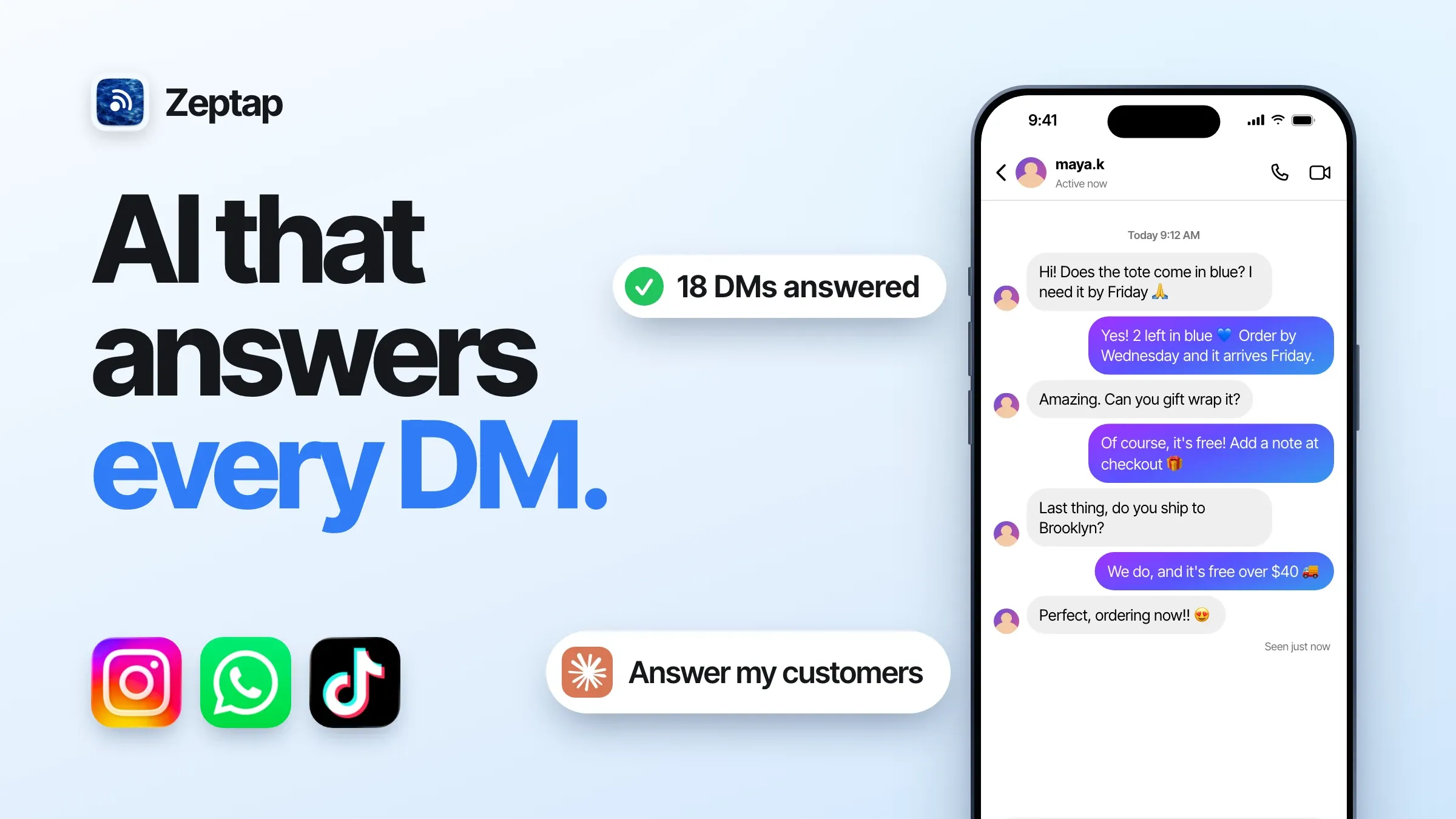
If you sell online today, your customers are in your DMs. Instagram, WhatsApp, TikTok. That's where people ask, compare and buy, and everyone knows a quick reply wins the sale.
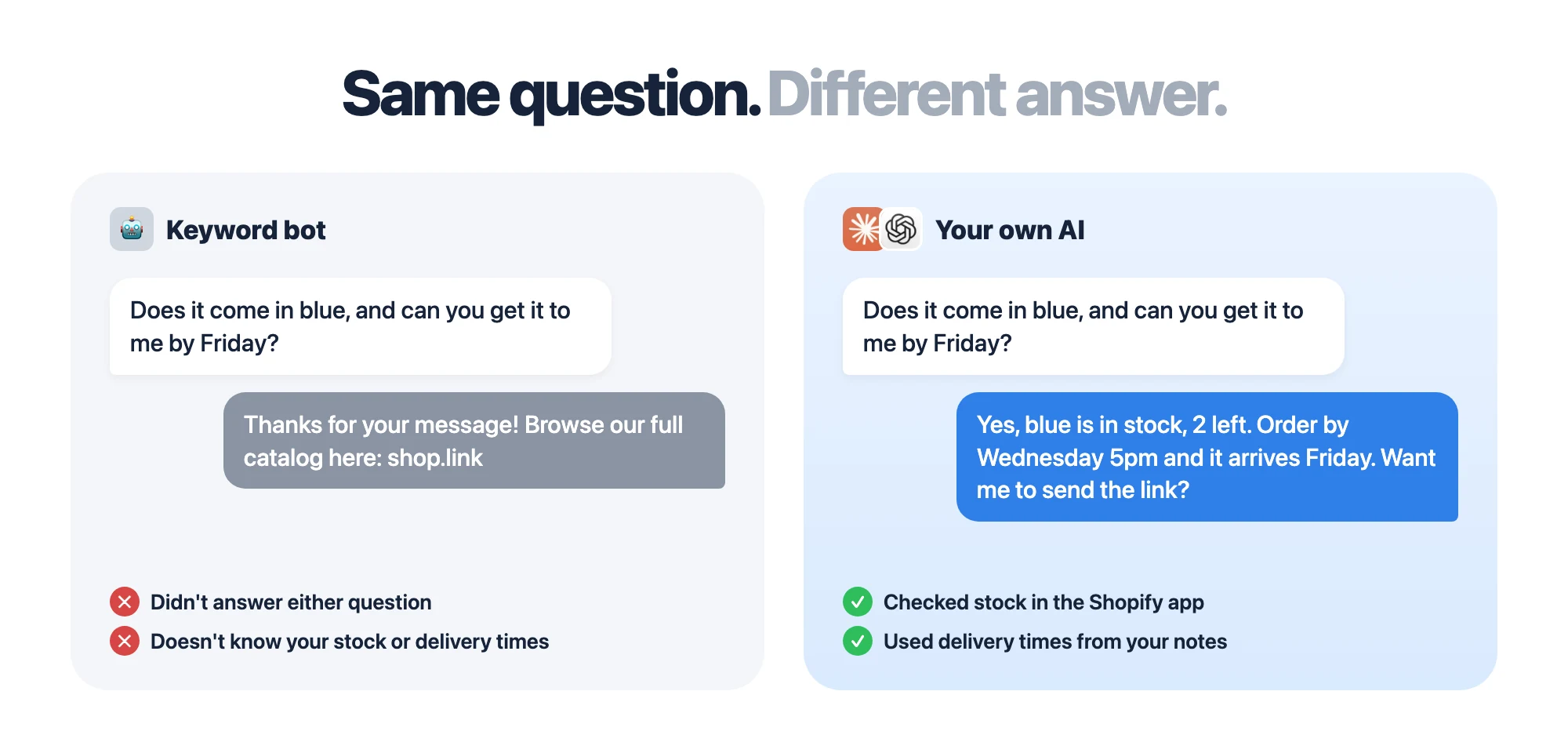
The hard part isn't speed. It's context. A good reply knows your prices and your stock, what this customer bought last month, and what you promised them yesterday. Templates and keyword bots don't. They handle "how much?" and fall apart at "does it come in blue, and can you get it to me by Friday?"
Your own AI already has that context. The Claude or ChatGPT you use every day knows your business: your docs and notes, your price list, and the tools you've connected, like Shopify, Notion or Google Drive. Everyone has a support bot. Let yours be the one that actually knows your business, answering customers inside the real apps.
Here's how to set it up, how it compares to every auto reply tool, and what each one costs.
The setup that works: an instant hello, then a real answer
The best auto reply has two layers:
- An instant hello, free. Turn on the built-in instant reply in Instagram and WhatsApp Business. Every customer hears back in seconds.
- A real answer from your own AI. A few times a day, your AI goes through every inbox and answers properly, with your prices, live stock and the customer's history.
The first layer is speed. The second is the one that sells.
How to set up Instagram auto reply (free)
Instagram's built-in auto replies live in Meta Business Suite and need a business account (Meta).
- Open Meta Business Suite on a computer and go to Inbox.
- Click Automations.
- Choose Instant reply (or Away message, Frequently asked questions or Custom keywords), and select Instagram.
- Write your message and save.
Every new customer now gets a greeting in seconds. Let your AI follow up with the real answer.
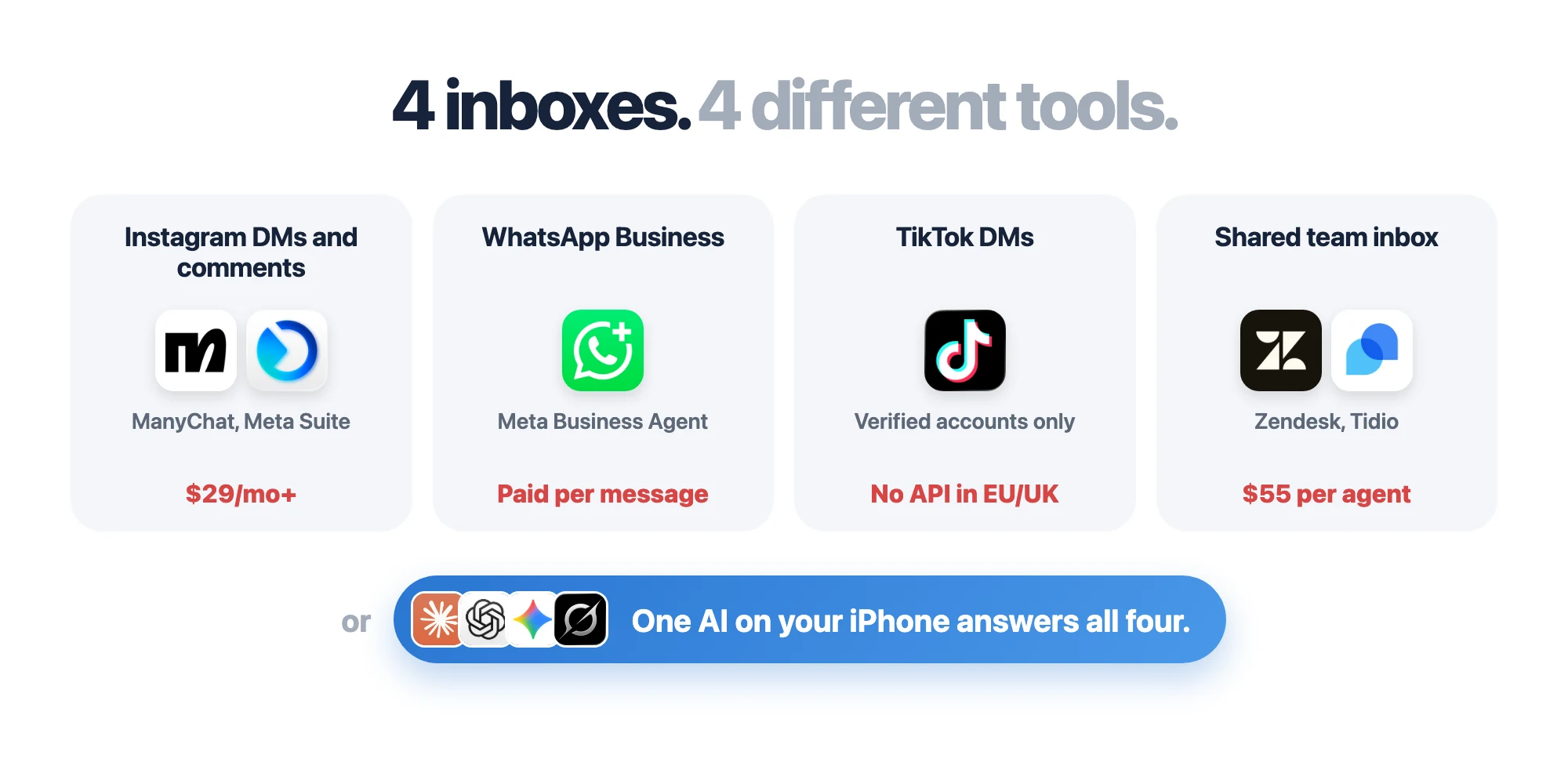
Auto replying to customers means juggling 4 inboxes
|
Inbox |
What people use |
The catch |
|---|---|---|
|
Instagram DMs and comments |
ManyChat, Meta Business Suite |
Business accounts only. 24-hour reply window |
|
WhatsApp Business |
Meta Business Agent, WhatsApp Business Platform |
Paid per message. Select markets only |
|
TikTok DMs |
TikTok auto-messages, ManyChat |
Verified business accounts. No API in the EU and UK |
|
A shared inbox for your team |
Zendesk, Tidio, respond.io |
Per-agent or per-reply pricing |
Three or four tools for one job, and each one only knows what you uploaded to it. None of them can reply from a personal account, check stock in your Shopify app, or look at the photo a customer just sent.
Why every auto reply tool hits the same walls
Every chatbot and helpdesk connects to Instagram, WhatsApp and TikTok through their official APIs. That's the only door software gets. It's built for instant, scripted replies, with strict rules on who you can message, when, and what it costs.
The rules, straight from the platforms:
- Instagram: 24 hours to reply. Tools can only message a customer within 24 hours of their last message, and can't see message requests older than 30 days. Professional accounts only.
- WhatsApp: you pay per message. Since 1 October 2026, even replies cost money after the first 1,000 a month per number (Meta). After 24 hours, only paid templates.
- TikTok: no API in the EU or UK. ManyChat says users there "are currently unable to connect their TikTok accounts". TikTok's own auto replies need a verified business account (TikTok).
- Personal accounts: no door at all. There's no API for personal WhatsApp or personal Instagram.
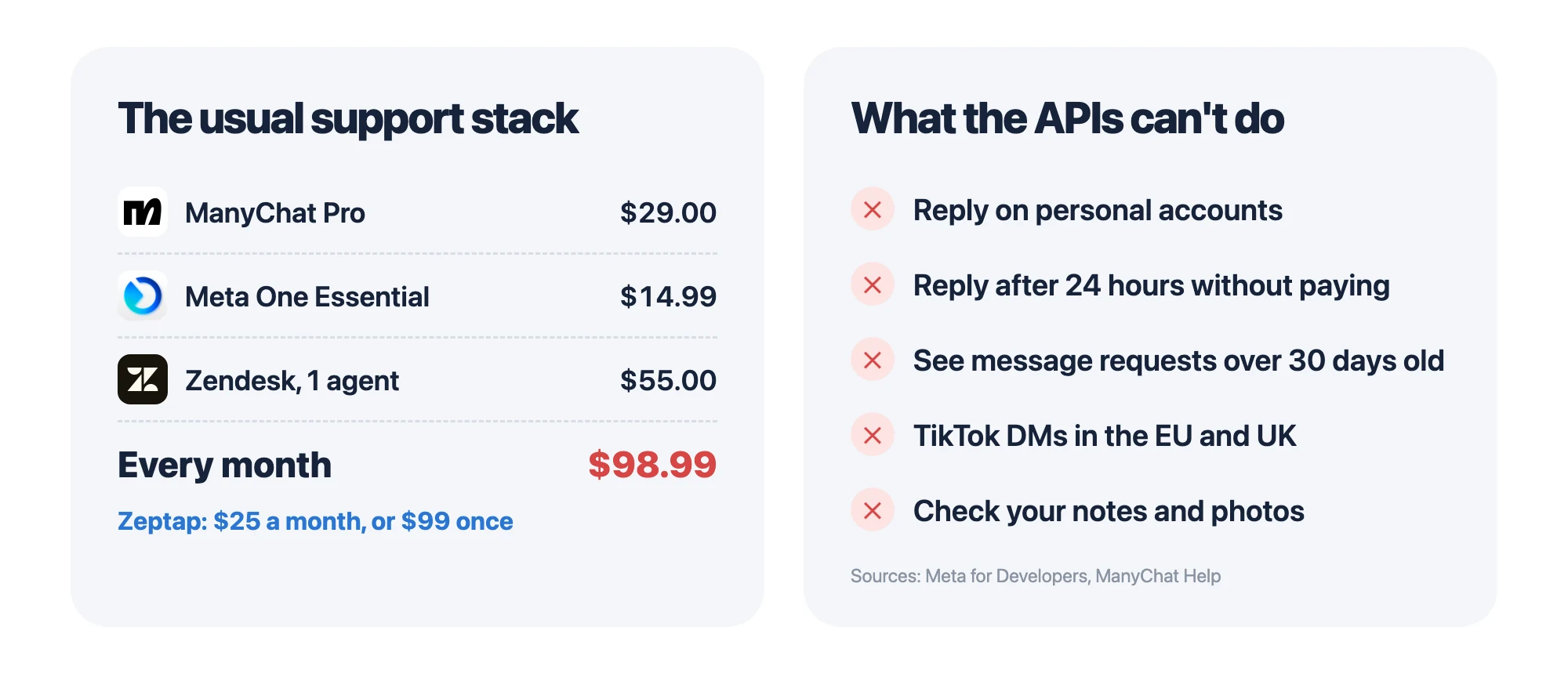
And the bill stacks up. ManyChat Pro ($29) + Meta One Essential ($14.99) + Zendesk Suite Team ($55 per agent) = about $99 a month. Skip the helpdesk and you're still paying $44 a month for keyword flows and fixed replies.
Every way to auto reply with AI, compared
|
|
Free auto replies |
Meta Business Agent |
ManyChat |
Helpdesk AI (Fin, Zendesk, Tidio) |
Phone use (Zeptap) |
|---|---|---|---|---|---|
|
|
✅ Basic |
Rolling out |
✅ |
✅ |
✅ |
|
WhatsApp Business |
✅ Away message |
✅ |
✅ Pro plan |
✅ |
✅ |
|
Personal WhatsApp or Instagram |
❌ |
❌ |
❌ |
❌ |
✅ |
|
TikTok (EU and UK) |
Verified accounts |
❌ |
❌ |
❌ |
✅ |
|
Replies instantly, 24/7 |
✅ Fixed text |
✅ |
✅ |
✅ |
When you run it |
|
Knows your business (docs, notes, connected tools) |
❌ |
Uploaded docs |
❌ |
Uploaded docs |
✅ Your own AI |
|
Price (Oct 2026) |
Free |
Free to start, then Meta One |
$29/mo and up |
$0.99+ per answer, or per agent |
$25/mo or $99 once |
1. The free auto replies built into each app
Instagram (through Meta Business Suite) and WhatsApp Business give you a free instant reply, an away message and simple keyword replies. TikTok does too, for verified business accounts. Fixed text, not AI, but instant. Instagram steps are above; WhatsApp steps are below.
2. Meta Business Agent: Meta's own AI
Meta launched Business Agent globally on 3 June 2026. It answers questions, recommends products and books appointments on WhatsApp and Messenger, and it's coming to Instagram. It's free to start, then needs a Meta One plan from $14.99 a month. Customers see a label saying the business uses AI from Meta, and turning it on pauses your other Business Suite automations.
3. ManyChat and other DM bots
ManyChat is the go-to for Instagram and TikTok: keyword flows, comment-to-DM and AI replies. Pro is $29 a month (billed yearly) for 2,500 contacts, then you pay per contact. It lives inside every API rule above.
4. Helpdesks with AI: Fin, Zendesk, Tidio, respond.io
Helpdesks put every channel into one shared inbox, with AI that answers from your help docs. Intercom Fin charges $0.99 per resolved conversation. Zendesk Suite Team starts at $55 per agent a month. Tidio has a free plan, with its Lyro AI from $32.50 a month. respond.io starts at $79 a month. Great for a support team. Heavy if it's just you running the brand.
5. Phone use: AI that answers in the real apps
The only option that works on every account and every app, because it answers customers the way you do.
Meet phone use: AI auto replies in the real apps
AI already got computer use. ChatGPT agent and Claude can work a desktop by looking at the screen, clicking and typing. Phone use is the same idea for your iPhone.
Zeptap is a Mac app that turns your iPhone into another computer for your AI. Plug the iPhone into your Mac, and Claude, ChatGPT, Gemini or Grok can open Instagram, WhatsApp or TikTok, read your messages and reply, signed in to your accounts like you are.
If you can answer it on your phone, your agent can too. No APIs. No per-message fees. No separate tool for each inbox.
And it's your AI, not a new bot to train. Connect Zeptap to the Claude or ChatGPT you already use, and every reply draws on what it already knows: your files, your notes, your past chats and the tools you've connected. It can also open your other apps on the phone, like Shopify or your calendar, to check before it answers.
Pair it with the free instant reply in each app, and you have both layers: a hello in seconds, and a real answer that knows your business.
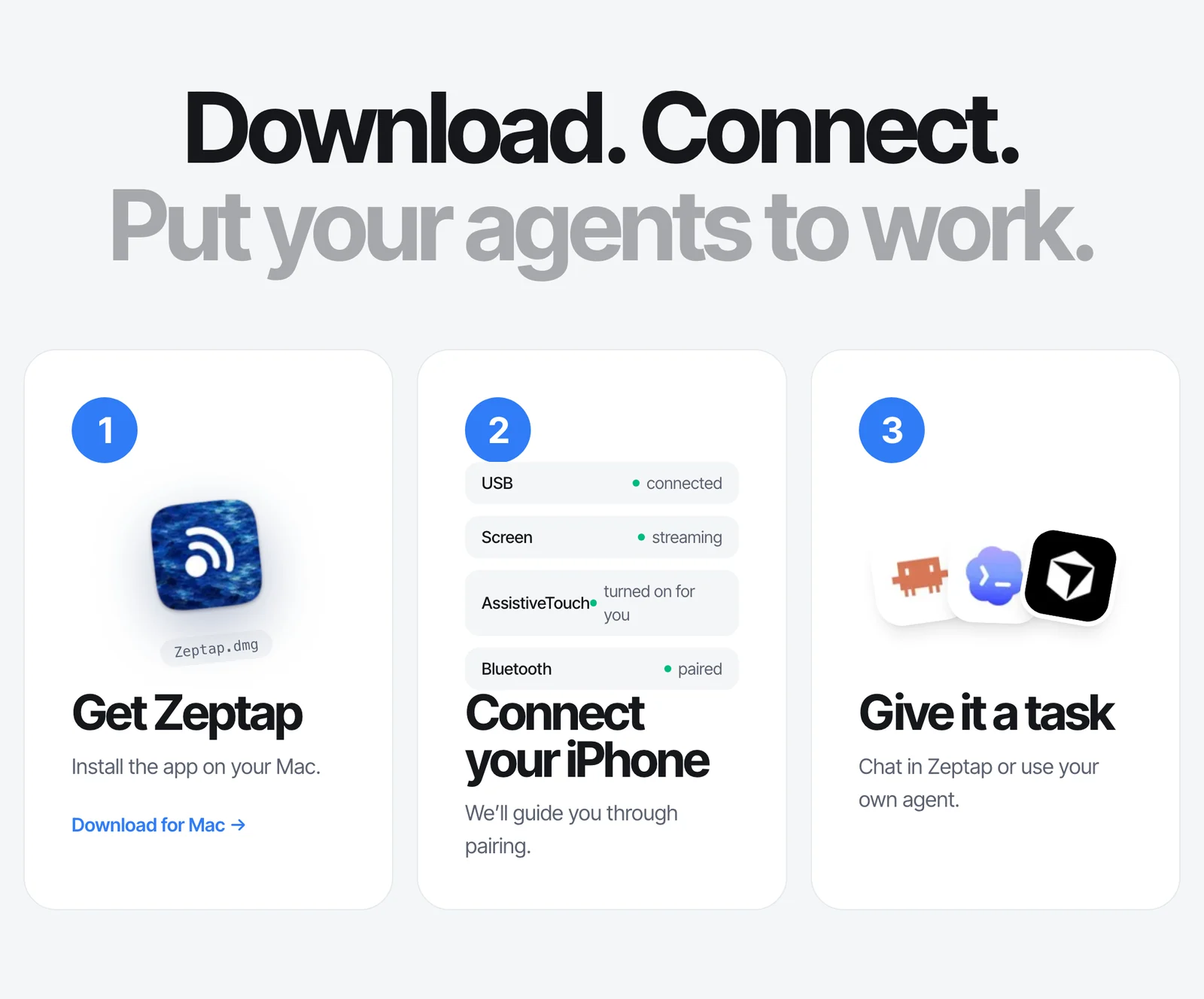
Setup takes 2 minutes:
- Download Zeptap and plug in your iPhone.
- Connect the AI you already use (Claude Desktop, Claude Code or Codex) in Settings › Connectors, so it brings your context. Or just sign in to Zeptap's chat with Claude or ChatGPT.
- Tell it which inboxes to clear.
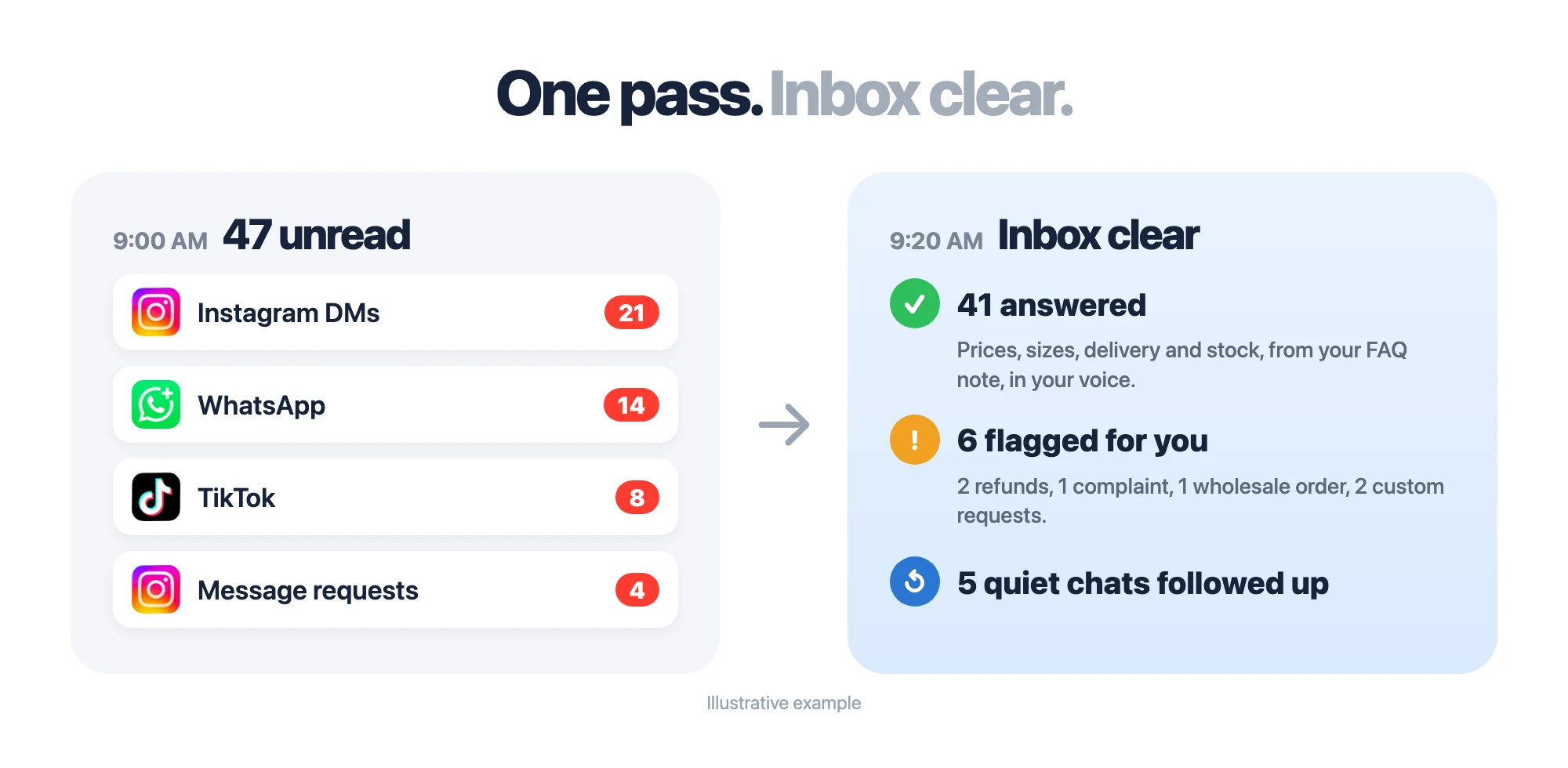
What your own AI does with your customer messages
It already knows your business. Here's what you get back.
Every "how much?" answered, in every inbox
The same questions come in all day: price, sizes, stock, delivery. Your AI answers from what it knows about your business, and checks live stock before it promises anything.
Go through my Instagram DMs, WhatsApp chats and TikTok messages. Answer anyone asking about price, sizes or delivery, and check stock in the Shopify app before you say something's available. Show me each reply before you send it.
Message requests turned into customers
New customers who don't follow you land in Requests, where bots can't see past 30 days and busy owners never look. Your AI checks them every time.
Check my Instagram message requests and Story replies from the last 2 days. Reply to anyone asking about a product, and leave anything about refunds for me.
Quiet chats won back
A customer asks a question, you get busy, the sale goes cold. Your AI finds those chats and picks them back up.
Find WhatsApp chats from this week where the customer asked something and never got an answer. Draft a short follow-up for each and show me first.
Sales from the photo a customer sends
"Do you have this?" with a screenshot. Your AI looks at the picture, finds the match in your camera roll, and answers with the price.
A customer on WhatsApp sent a photo of a bag. Find the matching one in my "Catalog" album and reply with its price and sizes from my price list.
Replies that know the customer
A regular asking "same as last time?" deserves better than a template. Your AI checks their history before it answers.
Before you reply to anyone on WhatsApp today, look up their past orders in the Shopify app and mention what they bought last time if it helps.
Only the messages that need you
Not everything should get an AI reply. Your AI handles the routine and hands you a short list.
Check Instagram, WhatsApp and TikTok. Answer the routine questions from my FAQ note, and give me a list of anything that needs a decision, with who asked and what they want.
Running several brands? Instagram lets you stay logged in to up to 10 accounts per iPhone, and Zeptap runs up to five iPhones at once. More in comments and DMs.
How to find Instagram message requests
New messages from people who don't follow you go to a separate folder.
- Open Instagram and tap the Messages icon.
- Tap Requests at the top of your inbox.
- Tap a message to read it, then Accept to move it to your main inbox.
To change who can message you, go to Settings › Messages and story replies › Message controls (Instagram). Filtered messages sit in a separate Hidden requests folder, so check it now and then.
How to set up WhatsApp Business auto reply
- Open WhatsApp Business and go to Settings › Business tools.
- Tap Greeting message to welcome new customers, or Away message for when you're busy.
- Write your message, pick who gets it, and set a schedule.
How to write auto replies that don't lose sales
Whatever tool you use, give it these rules:
- Answer the question first. The price or the answer, not a greeting and a link.
- Ask one question at a time. "What size are you after?" beats a list of five.
- Hand off the hard ones. Refunds, complaints and anything unusual go to you.
- Never invent a promise. Discounts, delivery dates and stock come from your notes, nothing else.
- Start with "show me first." Approve replies for the first week. Once they sound like you, let it send the routine ones on its own.
Every customer answered. Every inbox clear.
Every tool in this guide covers one slice, and each one only knows what you uploaded to it. ManyChat for Instagram. Meta's agent for WhatsApp. A helpdesk for the team.
Your own AI already knows your business, and now it can use the apps. Picture your inbox after one pass: every "how much?" answered, the requests folder empty, last week's quiet chats picked back up, and a short list of the three messages that actually need you. Same apps, same accounts, one assistant, on the AI plan you already pay for.
Try it free first. Then it's $25 a month, less than ManyChat alone, or $99 once for one iPhone. Up to five iPhones is $199 once. See pricing
Download Zeptap and let your AI answer your customers →
Auto reply FAQ
How do I set up auto reply on Instagram?
In Meta Business Suite, go to Inbox › Automations and turn on an instant reply or away message for Instagram. It's free, but it's fixed text and needs a business account. For real answers, connect your own AI with Zeptap and let it follow up in the app.
Can I auto reply on Instagram without a business account?
Not with Instagram's own tools or ManyChat; both need a professional account. With Zeptap, your AI replies inside the Instagram app, so it works on personal accounts too.
Can AI reply to Instagram DMs?
Yes. ManyChat and Meta's AI reply instantly on business accounts, within Instagram's 24-hour rule. With Zeptap, your own AI answers DMs, message requests and Story replies in the app, on any account, and shows you each reply first.
Where are Instagram message requests?
Open your Instagram messages and tap Requests at the top of the inbox. Filtered messages sit in Hidden requests. Bots can't see requests older than 30 days; with Zeptap, your AI opens the folder like you would.
How do I set up auto reply on WhatsApp Business?
In the WhatsApp Business app, go to Settings › Business tools and turn on a Greeting message or Away message. It's free and instant, but fixed text. Zeptap's AI can follow up in the same app with a real answer.
Can AI reply to WhatsApp messages for my business?
Yes. Meta Business Agent and WhatsApp Business Platform tools reply automatically, and you pay per message. With Zeptap, your AI uses the WhatsApp or WhatsApp Business app itself, so there are no per-message fees.
What's the best WhatsApp AI chatbot for business?
Meta Business Agent is Meta's own, free to start in select markets. ManyChat and respond.io add AI on the WhatsApp Business Platform. If you want replies that know your business, Zeptap lets the Claude or ChatGPT you already use answer in the WhatsApp app, on your own number.
Can you auto reply on TikTok?
TikTok's own auto messages work only for verified business accounts, and tools can't connect in the EU or UK. With Zeptap, your AI answers TikTok messages in the app, on any account, anywhere.
What's the best ManyChat alternative?
If you want real answers instead of keyword flows, use an AI that reads each conversation the way you do. Zeptap's AI answers from what it knows about your business, on any account, with no contact limits, from $25 a month.
Will my customers know it's AI?
With Meta's AI, they see a label. With Zeptap, your AI drafts the reply and you approve it, so it sounds like you. Some places require you to say when AI is replying, so check your local rules.
Does it reply instantly, 24/7?
The free auto replies in each app do. Zeptap's AI works when you run it, with your Mac on and iPhone plugged in. So pair the two: an instant greeting from the app, then a real answer from your AI a few times a day.
Is it safe to let AI read my customer messages?
Zeptap has no cloud and no account. Messages go from your iPhone to your Mac, and only to the AI you picked, like Claude or ChatGPT. Your AI won't send anything you didn't ask it to, and you can approve every reply. See the privacy guide.