
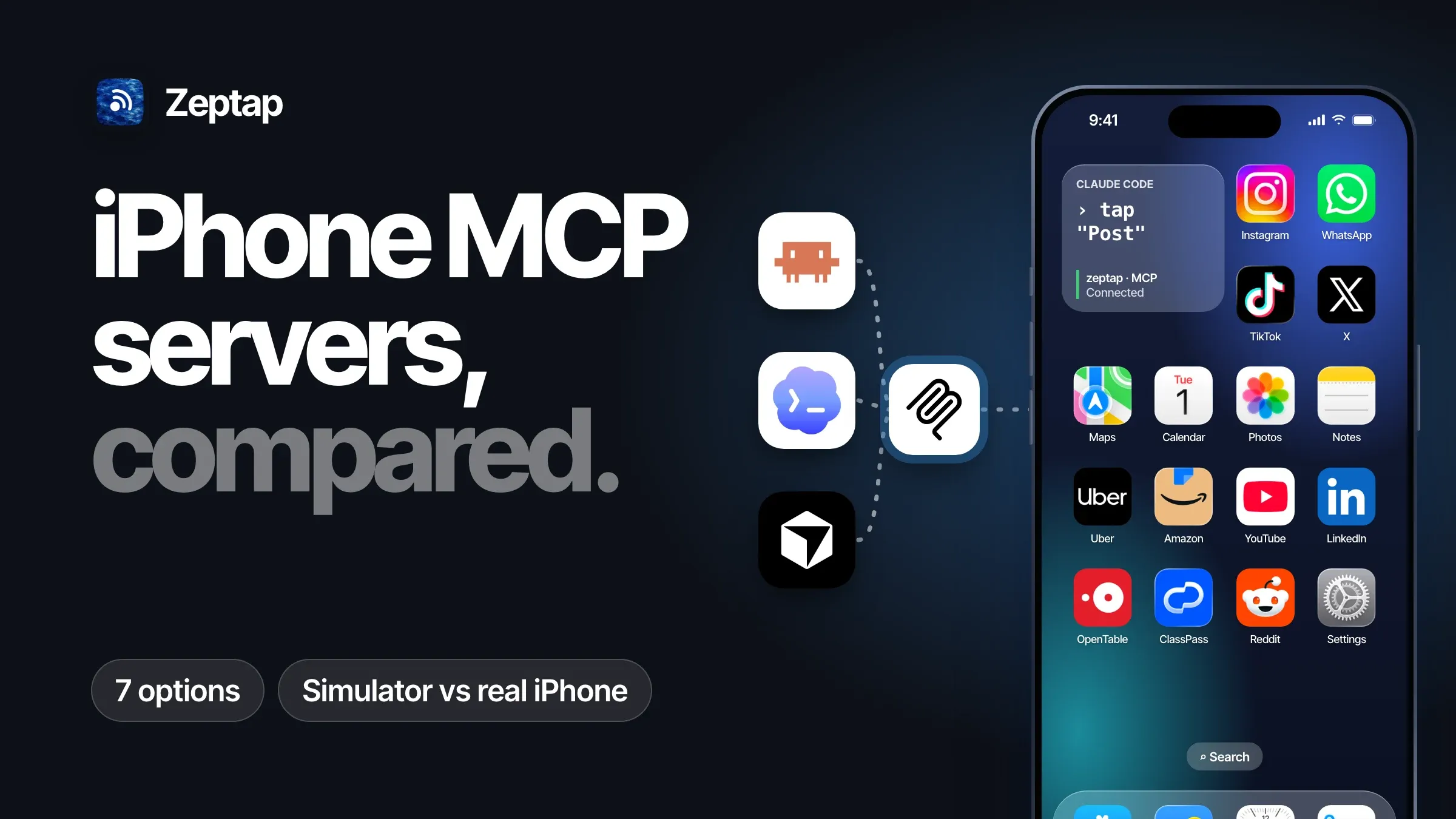
An iPhone MCP server connects an AI agent, such as Claude Code, Codex or Cursor, to an iPhone. The agent can then see the screen and tap, swipe and type, the way you would.
There are several to choose from, and they were built for different jobs. Pick the wrong one and you end up setting up a test lab when you only wanted your agent to reply to a few messages.
What do you want your agent to do?
Most people want one of three things:
- Check your app while you build it. The agent opens your app in the iOS Simulator, taps through the screens and tells you what broke. See the simulator options.
- Run automated tests on real devices. Repeatable tests on real iPhones, and often Android phones too. See the testing options.
- Get real tasks done on your everyday iPhone. Reply to comments, post a Story, book a class, try the new TestFlight build, in any app and signed in as you. See the options for your own iPhone.
Here are the seven options people use most, what each one needs, and which job it fits.
All seven at a glance
|
Option |
Devices |
What the iPhone needs |
Best for |
Cost |
|---|---|---|---|---|
|
ios-simulator-mcp |
Simulator only |
Nothing (Xcode and IDB on the Mac) |
Checking your app in the simulator |
Free, MIT |
|
XcodeBuildMCP |
Simulator; real devices for builds |
Code signing for device tools |
Building and testing an Xcode project |
Free, MIT |
|
Appium MCP |
Simulator, real iPhone, Android |
Developer Mode and a signed WebDriverAgent |
Automated tests and test code |
Free, Apache-2.0 |
|
mobile-mcp |
Simulator, real iPhone, Android |
WebDriverAgent running on the phone |
Cross-platform automation |
Free, Apache-2.0 |
|
Blitz iPhone-mcp |
Simulator, real iPhone |
Developer Mode; Xcode signs WebDriverAgent |
A quick start on a development phone |
Free, MIT |
|
iphone-mirror-mcp |
Real iPhone, through Apple’s iPhone Mirroring |
Same Apple Account, locked and nearby |
Using your phone through Apple’s mirroring window |
Free, MIT. Not in the EU |
|
Zeptap |
Real iPhones, up to five at once |
A USB cable and a Bluetooth pairing |
Everyday tasks in any app, with your accounts |
First hour free, then $99 once (or $25 a month) |
Requirements as listed in each project’s documentation on 21 October 2026.
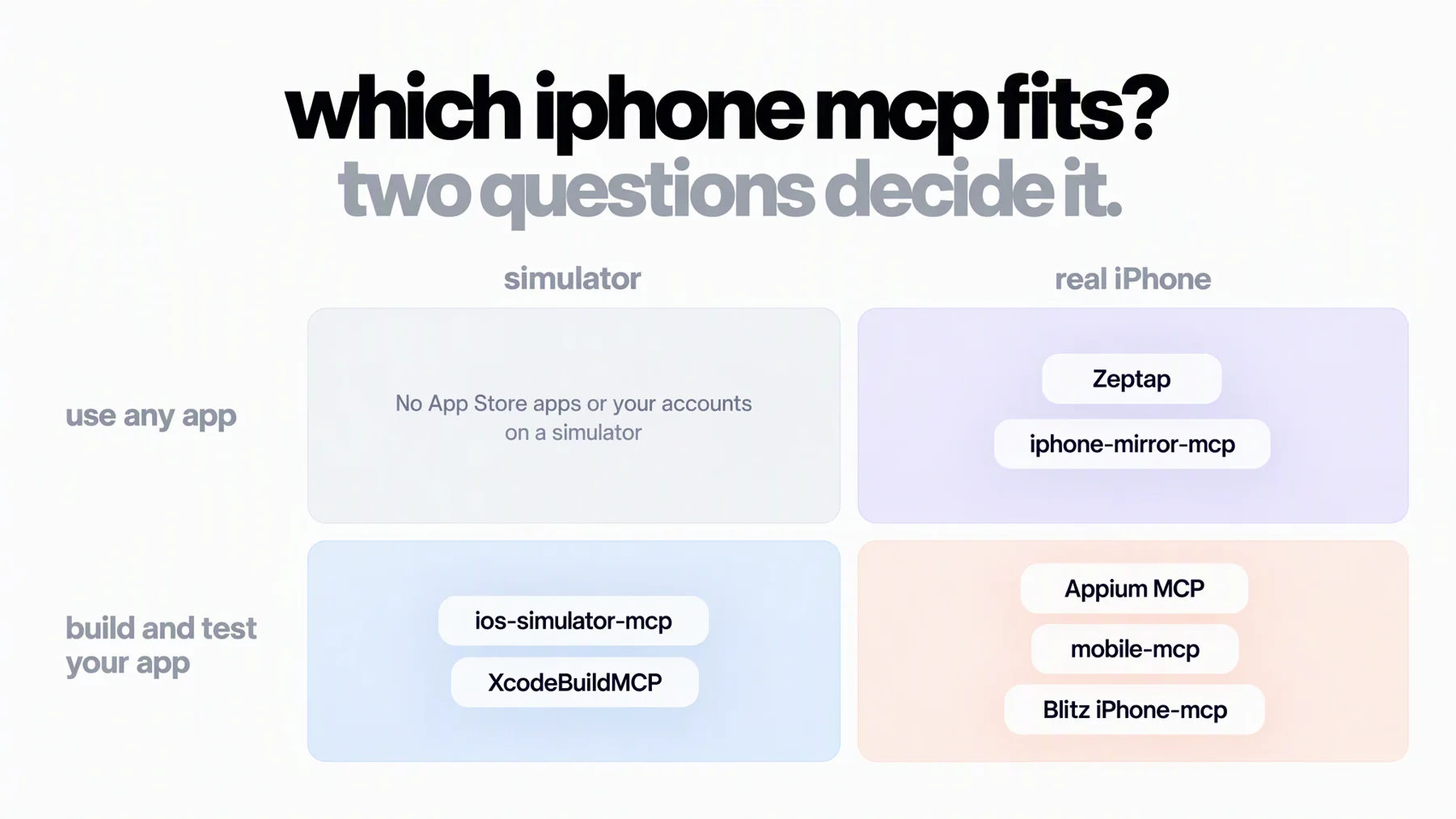
Why most options need a developer setup
The iOS Simulator is free and fast, but it has no App Store. It can’t run Instagram, WhatsApp or your bank, and none of your accounts are on it. For anything beyond your own app, you need a real iPhone.
Most real-iPhone options grew out of app testing. They control the phone through WebDriverAgent, a helper app installed on the iPhone. That’s excellent for reliable tests, and it comes with a developer setup:
- Developer Mode turned on, a setting Apple made for development devices.
- Xcode and an Apple ID to sign the helper app. On a free Apple account, the signing expires after seven days, so you rebuild it every week.
On a test phone, that’s normal. On the phone you use every day, it’s a lot to take on.
Options for building and testing your app
These five are developer tools. They’re free, open source and very good at what they were made for: working on your own app.
1. ios-simulator-mcp
ios-simulator-mcp gives your agent the iOS Simulator. It can tap, type, swipe, read the screen’s UI elements, take screenshots and record video.
- Best for: checking your own app’s screens while you build it.
- You need: macOS, Xcode with simulators, Node.js 20 or later and Facebook’s IDB.
- Keep in mind: it only works with the simulator.
2. XcodeBuildMCP
XcodeBuildMCP, from Sentry, lets an agent work on your Xcode project: build it, run it in the simulator, run the tests and fix what breaks. Xcode itself also now lets agents work with projects, builds and tests.
- Best for: the coding loop, when the agent should build and check its own changes.
- You need: macOS 14.5 or later, Xcode 16 or later, and Node.js 18 or later unless you install it with Homebrew. Device tools need code signing in Xcode.
- Keep in mind: it’s built around your project, not other apps on your phone.
3. Appium MCP
Appium MCP is the official MCP server from the Appium project. It brings Appium’s test automation to agents, including finding elements and writing test code from plain-language steps, on iOS and Android.
- Best for: teams writing automated tests for their apps on real devices.
- You need: Node.js 22 or later and Xcode. For a real iPhone: Developer Mode, an Apple ID in Xcode and a signed WebDriverAgent, which its
appium_prepare_ios_real_devicetool sets up for you. - Keep in mind: it’s a testing tool first, with the WebDriverAgent upkeep that comes with it.
4. mobile-mcp
mobile-mcp from Mobile Next is the most popular project here, with about 9,800 GitHub stars when we checked. One set of tools covers iOS and Android, simulators, emulators and real devices, plus optional cloud devices.
- Best for: automation across iOS and Android.
- You need: Node.js 20 or later and Xcode command line tools. For a real iPhone, its setup guide has you run WebDriverAgent on the device and install go-ios for the connection.
- Keep in mind: real-iPhone setup is the most hands-on of the five.
5. Blitz iPhone-mcp
Blitz iPhone-mcp took off on Reddit as “an MCP server that lets Claude use your iPhone.” It works with simulators and real iPhones, finds devices on its own and shows a live view of the screen in your browser.
- Best for: trying an agent on a development iPhone with little configuration.
- You need: macOS, Xcode with your Apple ID, Node.js 18 or later, Homebrew, Developer Mode on the phone, and USB or the same Wi-Fi network. It builds WebDriverAgent for you.
- Keep in mind: it’s still WebDriverAgent and Developer Mode underneath, with the same weekly signing.
Options for using your own iPhone
Point any of the testing tools at your everyday iPhone and you take on their setup. The one option that avoids it, iphone-mirror-mcp, borrows Apple’s iPhone Mirroring, along with its limits.
6. iphone-mirror-mcp
iphone-mirror-mcp drives your iPhone through Apple’s iPhone Mirroring window on the Mac, so nothing is installed on the phone. It also includes Xcode build and test tools.
- Best for: controlling your own phone without Developer Mode, where iPhone Mirroring works.
- You need: macOS 15 or later and iOS 18 or later, both on the same Apple Account, with the phone locked and nearby, plus Accessibility and Screen Recording permissions on the Mac.
- Keep in mind: it inherits Apple’s limits. Its README lists one phone at a time, a session that pauses when you pick up or unlock the phone, and no Face ID or Control Center. iPhone Mirroring is also not available in the EU.
So until now, giving your agent your real phone meant one of two things: turn it into a development device, or live with Apple’s limits. That gap is why we built Zeptap.
7. Zeptap
Zeptap gives your agent full control of your iPhone, exactly as it is. Install the Mac app, plug in your iPhone with a USB cable, pair it over Bluetooth and connect your agent. Nothing changes on the phone: no Developer Mode, no helper app, nothing to re-sign.
A few minutes later, your agent is using your phone the way you do, in the apps you use, signed in as you:
Open Instagram, read the new comments on my latest post and draft replies to the questions using the FAQ in my Notes. Show me the replies before you post them.
Plug in more phones and the same agent works on all of them at once, each with its own accounts:
On all three phones, check the brand accounts for new DMs and list the ones that need me today.
And when you’re building an app, the same setup tests your real build on a real phone:
Install the newest TestFlight build, sign up as a new user and tell me where it breaks.
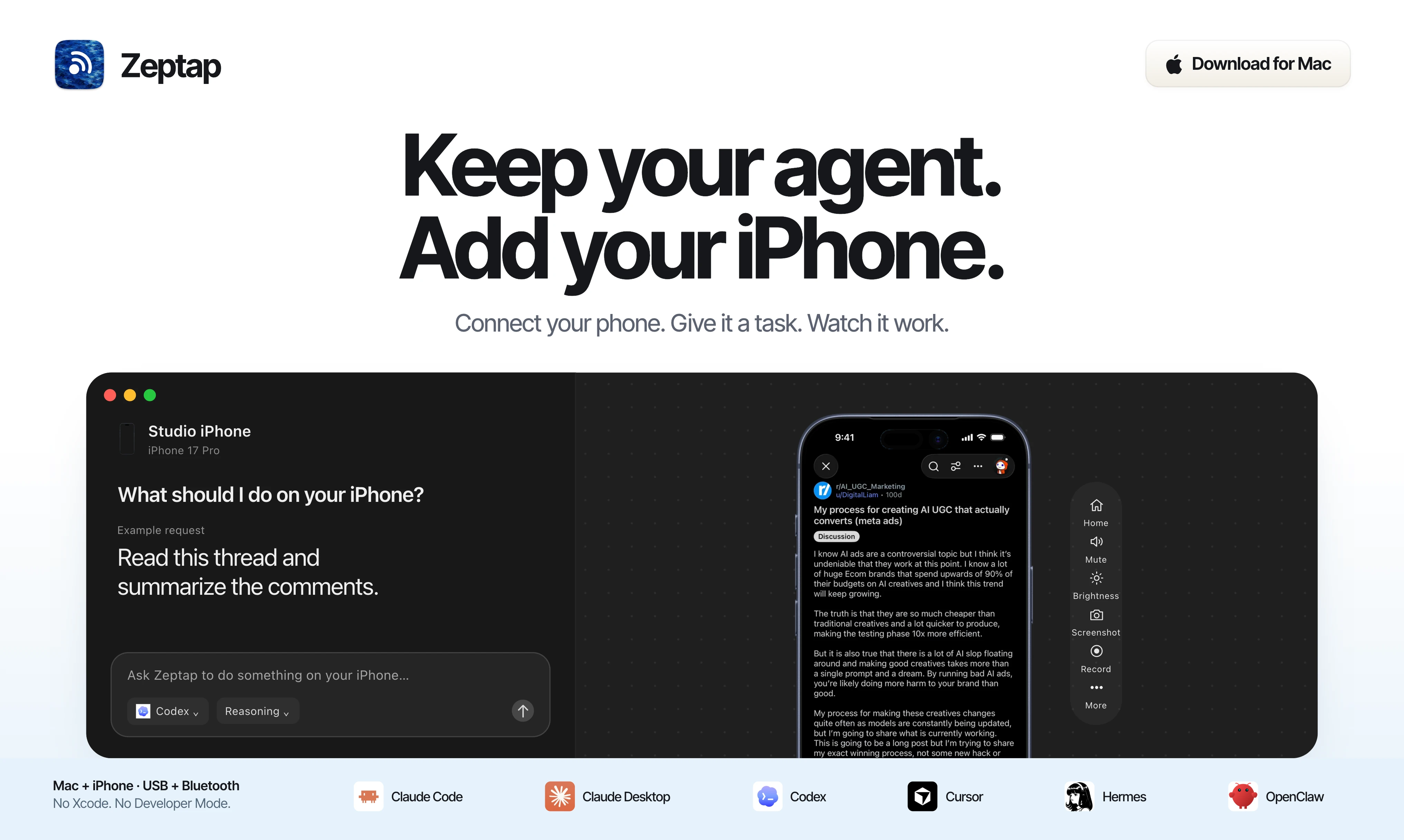
The Zeptap Mac app, with the agent chat beside a connected iPhone and an example request.
- Best for: real work in any app on your everyday iPhones, from replies and posts to bookings and app testing.
- You need: a Mac on macOS 14 or later and an iPhone on iOS 15 or later.
- Keep in mind: the iPhone stays connected to your Mac while the agent works. Your first hour is free, then it’s $99 once, or $25 a month if you’d rather not pay up front.
Side by side, on your own iPhone
Here’s how the options compare when the phone is the one in your pocket.
|
|
Zeptap |
WebDriverAgent tools (Appium MCP, mobile-mcp, Blitz) |
iphone-mirror-mcp |
Simulator tools |
|---|---|---|---|---|
|
Your App Store apps and accounts |
Yes |
Yes, on a development phone |
Yes |
No |
|
Developer Mode stays off |
Yes |
No |
Yes |
Not applicable |
|
Nothing to re-sign every week |
Yes |
No, on a free Apple account |
Yes |
Not applicable |
|
Works in the EU |
Yes |
Yes |
No |
Yes |
|
Several iPhones at once |
Up to five, from one chat |
Each phone set up separately |
One at a time |
Simulators only |
|
Agent can unlock the phone |
Yes, if you allow it |
Not documented |
No, the phone stays locked |
Not applicable |
|
Built-in chat on your Claude or ChatGPT plan |
Yes |
Bring your own MCP client |
Bring your own MCP client |
Bring your own MCP client |
What else Zeptap does
Five phones, one agent
Plug in up to five iPhones and give one job across all of them. Zeptap’s built-in chat starts a helper agent on each phone, they work in parallel, and you get one summary at the end. Agents you connect over MCP see every phone too, and each tool can target one by name.
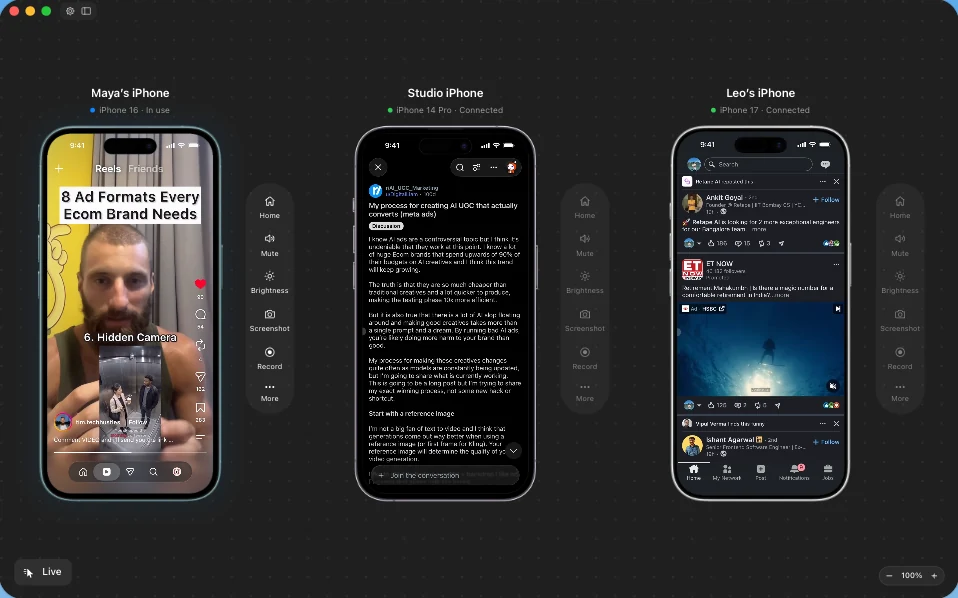
A real screenshot of the Zeptap Mac app with three iPhones connected.
Your subscription, or the agent you already use
The built-in chat runs on your Claude Pro or Max plan through Claude Code, or your ChatGPT plan through Codex, so there’s nothing to configure. Or connect your own agent: Settings › Connectors adds Zeptap to Claude Code, Claude Desktop, Codex, Cursor, Hermes and OpenClaw in one click. In Claude Code, it’s one line:
claude mcp add --transport http --scope user zeptap http://127.0.0.1:47801/mcpThe server runs on your Mac and only accepts connections from it. The tool reference lists all 19 tools.
It knows the apps, and it doesn’t stall
Zeptap ships app skills for Instagram and TikTok, which agents load before working in those apps, so they know the screens, gestures and pitfalls. If you allow it, the agent can also unlock the phone when a task needs it. The passcode stays in your Mac’s Keychain, and the agent never sees it. How unlocking works.
Works in the EU, and your screen stays yours
Zeptap doesn’t depend on Apple’s iPhone Mirroring, so it works in the EU. Screenshots don’t pass through Zeptap’s servers. They go from your Mac to the AI provider you connected. See the privacy guide.
Questions people ask
Can Claude Code control a real iPhone?
Yes. Appium MCP, mobile-mcp and Blitz iPhone-mcp can, once you turn on Developer Mode and install WebDriverAgent. iphone-mirror-mcp can through Apple’s iPhone Mirroring, outside the EU. Zeptap can with neither: you plug in the phone and connect Claude Code.
Is there an official Apple MCP server for the iPhone?
Not one that controls a phone. Xcode’s agent tools work with projects, builds and tests, and 9to5Mac has reported code for system-level MCP support that would let apps share actions with agents. As of October 2026, we found no Apple MCP server that drives a real iPhone’s screen.
Which iPhone MCP servers work in the EU?
All of them except iphone-mirror-mcp, because Apple’s iPhone Mirroring isn’t available there.
Try Zeptap on your own iPhone
If you’re testing your own app, the free tools above are excellent. If you want your agent doing real work on your real iPhone, in any app and with no developer setup, try Zeptap. Connect your phone, give your agent a job and watch it work. Your first hour of live use is free.
After that, Zeptap is $99 once for one iPhone, or $199 once for up to five at once. Pay once and there’s no recurring Zeptap fee and no Zeptap AI credits to buy. You keep using the Claude or ChatGPT plan you already have. Prefer to pay monthly? It’s $25 a month. See current pricing.