
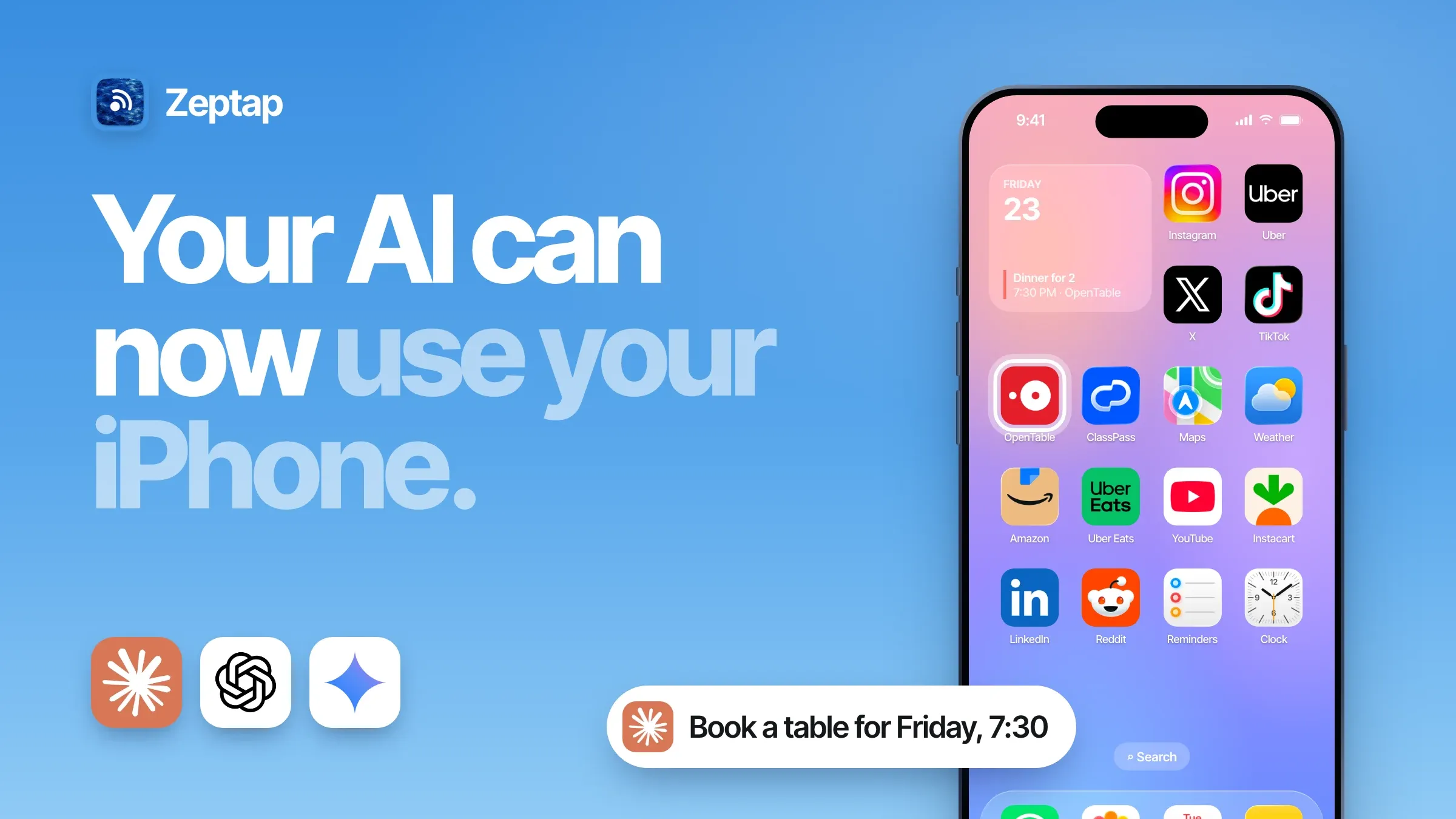
Most people now use AI for their personal life, not work. In OpenAI's own study, personal chats grew to more than 70% of ChatGPT use (NBER).
And every big AI company is racing to make its assistant do things. ChatGPT agent works on "its own virtual computer" (OpenAI). xAI's Grok Bot gets "a persistent cloud computer" (xAI). Google is teaching Gemini to use Android apps for you, like "snagging a front-row bike for your spin class" (Google).
On your iPhone? Your assistant still can't open a single app.
That's a big gap. The jobs you actually want off your plate, like answering DMs, booking the table, posting the Story, all happen in apps. This guide shows you how to let your personal AI assistant use your iPhone like another computer, in 2 minutes, with Claude, ChatGPT, Gemini or Grok. Then one message does the work of five apps:
- "Book a table for 2 at a good Italian place on OpenTable for Friday at 7:30, add it to my calendar and text Sam the details."
- "Reply to every Instagram DM asking about prices, using my price list in Notes."
- "Book a 7am ClassPass class on every free weekday next week."
Which personal AI assistants can control your iPhone?
Claude, ChatGPT, Gemini and Grok can all use your iPhone today.
We call this phone use. It's like computer use, but on your iPhone: your AI sees the screen, taps, swipes and types in your real apps, signed in to your own accounts.
|
Personal AI assistant |
Can it use your iPhone? |
Best for |
|---|---|---|
|
Claude |
✅ Yes |
People who pay for Claude |
|
ChatGPT |
✅ Yes |
People who pay for ChatGPT |
|
Gemini |
✅ Yes |
Google fans |
|
Grok |
✅ Yes |
X and Grok fans |
|
Claude Code, Codex, Cursor, T3 Code |
✅ Yes |
Builders who already use them on their Mac |
|
Hermes, OpenClaw |
✅ Yes |
Texting your assistant from WhatsApp, Telegram or iMessage |
|
Meta Muse, Grok Bot, OpenAI dots |
🔜 Coming soon |
Cloud assistants. Remote iPhone access is in the works |
Pick the one you already use. You'll connect it in Step 2.
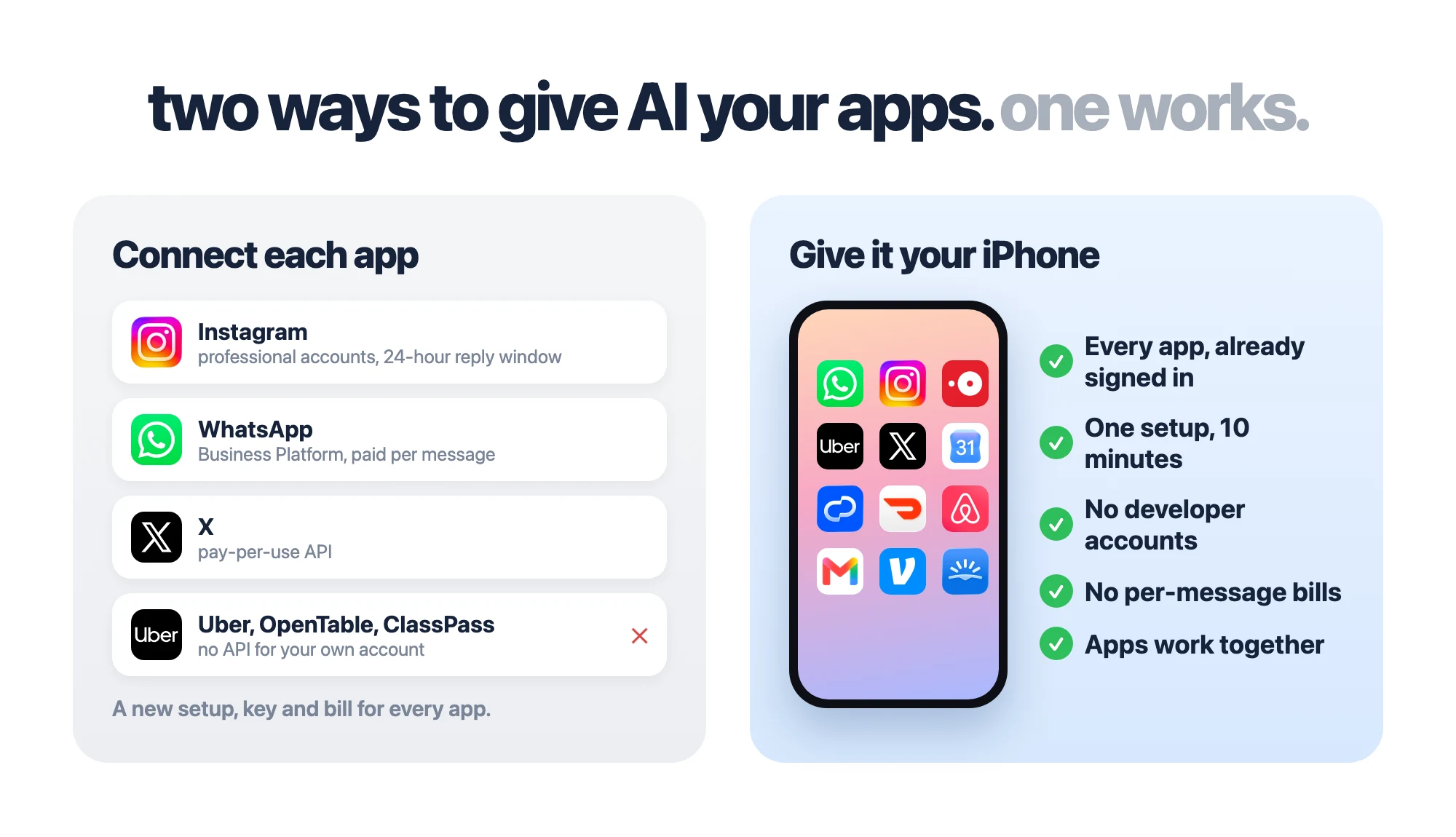
Why not just connect your apps to AI?
Because apps don't want to be connected.
- The doors are narrow. Instagram only lets software message people from a professional account, and only within 24 hours after they message you (Meta).
- The doors cost money. WhatsApp's business platform charges "on a per-message basis" for what you send (Meta).
- Most apps have no door at all. There's no API you can sign up for to book OpenTable, ClassPass or Uber from your own account.
- Your apps don't talk to each other. Every job that crosses apps is another connection to build.
Your iPhone already has every app, signed in and working. Give your assistant access to the phone, and it gets all of them at once. No developer accounts. No per-message bills.
How to give your AI assistant access to your iPhone
Zeptap is a Mac app that turns your iPhone into another computer for your AI. Plug the iPhone into your Mac, and Claude, ChatGPT, Gemini or Grok can see its screen, tap, swipe and type in any app.
That's phone use. It's iPhone automation without Shortcuts, scripts or code. Anything you can do on your iPhone, your AI can now do too.
Setup takes about 2 minutes. Nothing gets installed on the iPhone, and you keep the AI plan you already have.
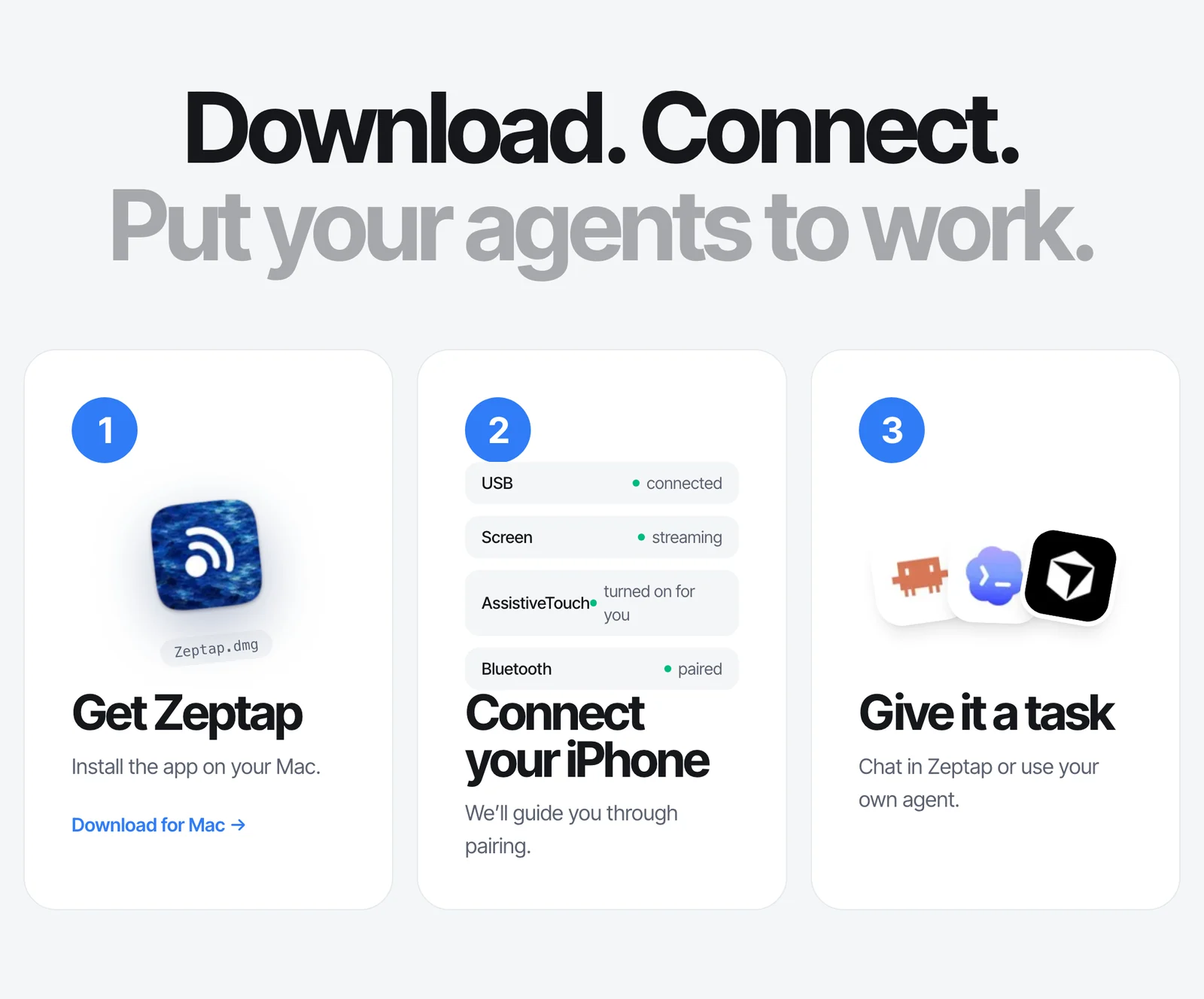
Step 1: Plug in your iPhone
Download Zeptap and open it. Plug in your iPhone, tap Trust, then pair it over Bluetooth once. Your iPhone's screen appears on your Mac. That's it.
Step 2: Pick your AI
Press ⌘L and sign in with Claude or ChatGPT. Prefer Gemini or Grok? Add an OpenRouter key and pick from hundreds of models. No new subscription, no AI credits.
Already use Claude Code, Codex or Cursor? Add it in Settings › Connectors. Want to text your assistant from WhatsApp or Telegram? Add Hermes or OpenClaw. (All options)
Step 3: Hand it a real job
Skip the test run. Give it something you'd actually love to stop doing, then watch it open the apps and work:
Find a table for 2 at a well-reviewed Italian place near me on OpenTable, this Friday around 7:30. Show me the top 3 before booking.
Go through my Instagram DMs and draft a reply to everyone asking about prices. Use the price list in my Notes. Show me before sending.
Check my Google Calendar and find a 7am ClassPass class for every free weekday next week. Show me the list.
Download Zeptap for Mac → Try it free first.
What your personal AI assistant can do on your iPhone
If you can do it on the screen, your assistant can do it. These are the jobs worth handing off first.
Book, plan and order across apps
This is what no single app, and no API, can do for you. One message, several apps, done.
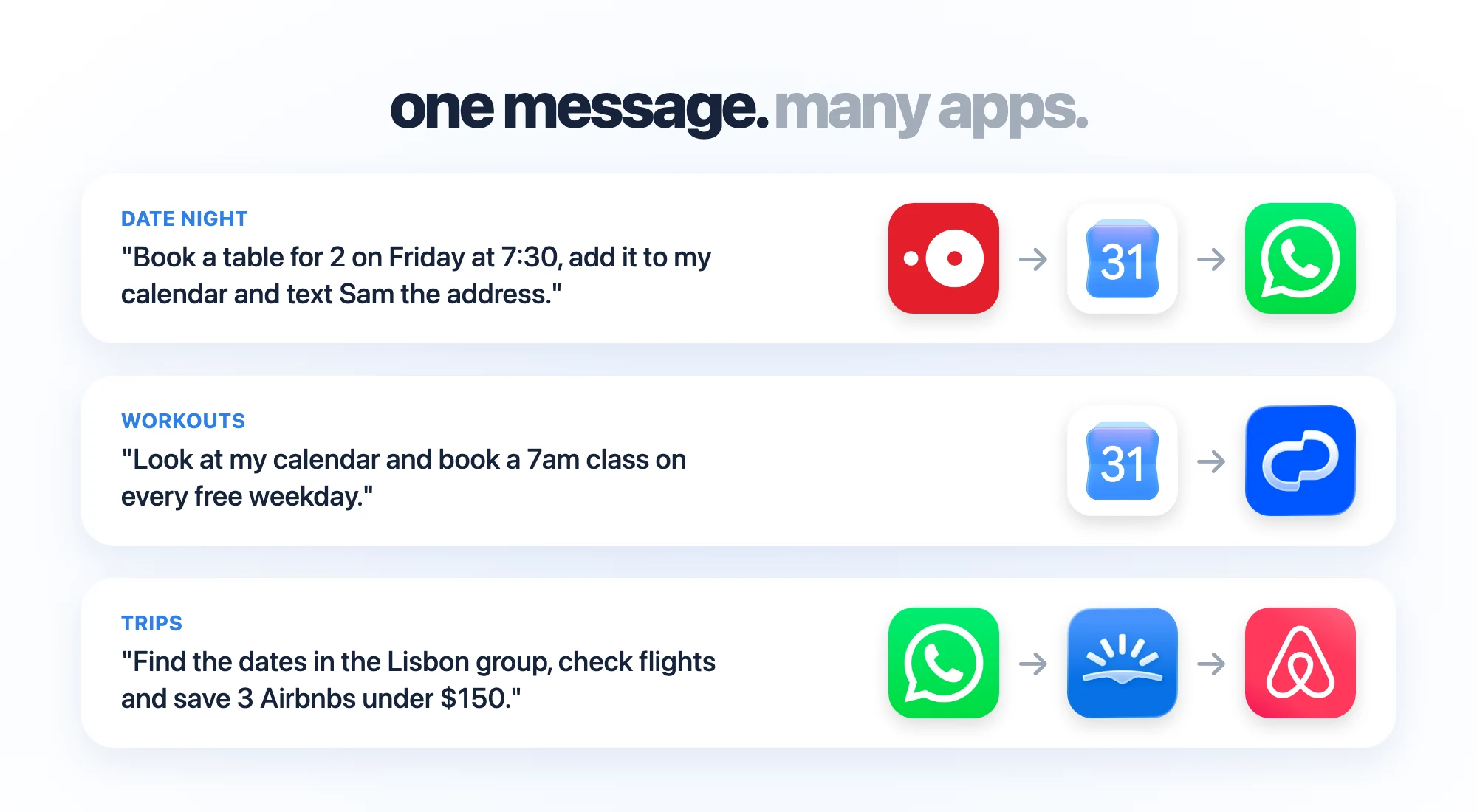
Date night: Book a table for 2 on OpenTable for Friday at 7:30, add it to my Google Calendar and WhatsApp Sam the address.
Workouts: Look at my calendar and book a 7am ClassPass class on every free weekday.
Trips: Find the dates in the "Lisbon trip" WhatsApp group, check flights on Skyscanner and save 3 Airbnbs under $150 a night.
Your assistant stops and asks before it pays for anything. Apple Shortcuts can't do most of this, because it only works with apps that built Shortcuts actions (why that matters).
Answer Instagram, X and WhatsApp DMs: a ManyChat alternative
Your customers message you on Instagram, X and WhatsApp. Tools like ManyChat answer them with keyword flows, need a business or creator account, and charge by contact: Pro is $29 a month (billed yearly) for 2,500 contacts, then you pay per contact (ManyChat).
Your assistant works differently. It reads each conversation the way you would, on any account, and writes a real answer from your own info.
Open my Instagram DMs. Reply to everyone asking about prices or delivery, using my FAQ in Notes. Show me each reply before sending.
Check my X DMs and WhatsApp for customer questions from today. Draft replies and flag anything angry for me.
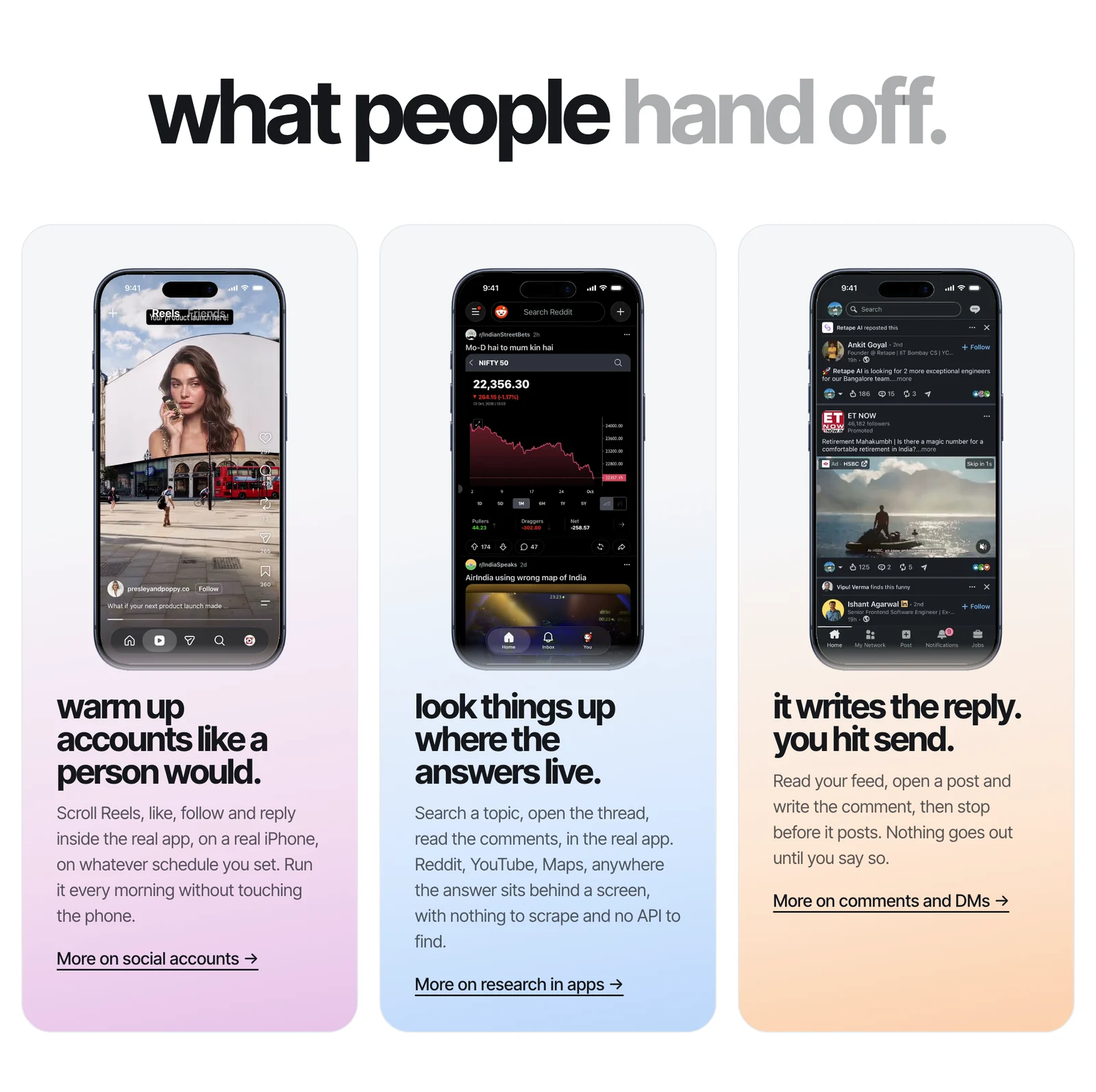
More in comments and DMs.
Post to Instagram and TikTok
It uses the real apps, so it can add link stickers and music to Stories, on personal accounts too.
Post the 4 photos in my "Launch" album as an Instagram Story with a link sticker to my website.
Open TikTok, find today's draft and post it with the caption in my Notes.
Run several accounts at once
Plug up to five iPhones into one Mac, each signed in to a different account. Your assistant works on all of them at the same time.
On all three phones, reply to new comments on today's post.
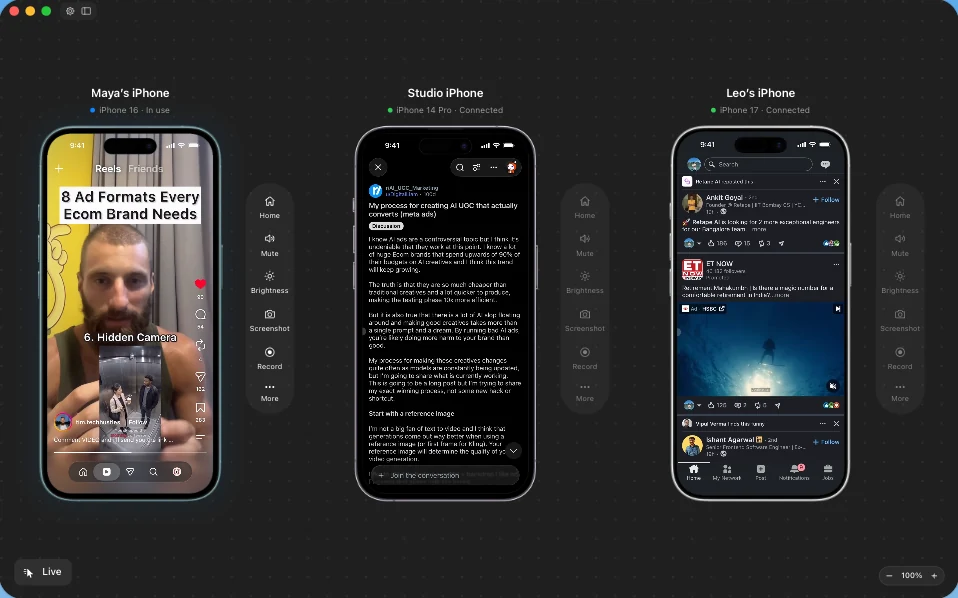
Building an app? The same setup tests it on a real iPhone.
Is it safe to let AI control your iPhone?
You stay in charge.
- It asks before it acts. It won't send, post, buy or delete anything unless you asked. Say "show me first" and it waits for your OK.
- Your passcode stays private. It lives in your Mac's Keychain. The AI never sees it.
- Your screen goes to one place. Zeptap has no account and no cloud. Screenshots go from your Mac straight to the AI you picked (privacy).
- You can watch every tap on your Mac, and grab the phone anytime.
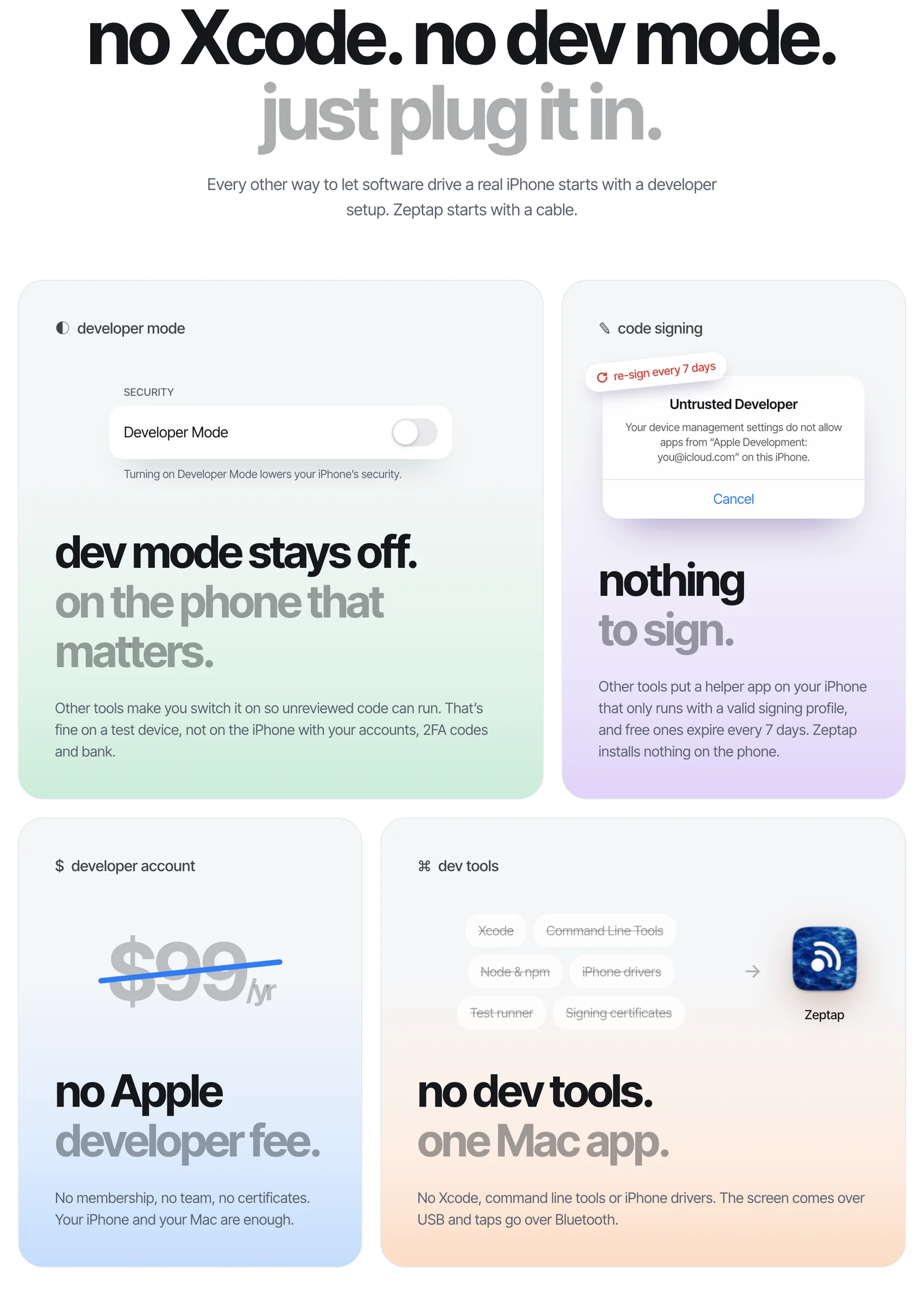
No Xcode. No developer account. Just plug it in.
Other ways to give software access to an iPhone start with a developer setup: Developer Mode, a helper app that expires every 7 days, a $99-a-year Apple developer account. Zeptap starts with a cable. Nothing gets installed on the phone, and it works with any iPhone on iOS 15 or later, on any Apple Account, in any country.
Coming soon: Meta Muse, Grok Bot and dots
Cloud assistants like Meta's Muse, xAI's Grok Bot and OpenAI's dots can't reach the iPhone on your desk yet. We're building remote iPhone access so they can. Stay tuned. Until then, use the same AI inside Zeptap, and you'll be ready the day it ships.
Give your AI your iPhone
Your AI can already write, plan and research. With phone use, it can do the part stuck on your phone: the replies, the bookings, the posts, the jobs that hop across five apps.
Try it free first. Then it's $25 a month or $99 once for one iPhone, or $199 once for up to five. No API bills. No AI credits. See pricing
FAQ
Can AI control my iPhone?
Yes. With Zeptap, an AI assistant like Claude, ChatGPT, Gemini or Grok can see your iPhone's screen and tap, swipe and type in any app. You plug the iPhone into a Mac, and your AI uses it like another computer.
Can ChatGPT control my iPhone?
Yes. Sign in with ChatGPT inside Zeptap on your Mac, or connect Codex. ChatGPT can then open your iPhone apps and work in them. The ChatGPT website and phone app can't do this yet.
Can Claude use my iPhone apps?
Yes. Sign in with Claude inside Zeptap, or connect Claude Code or Claude Desktop. Claude can then use any app on your iPhone. See how to let Claude control your iPhone.
Can Gemini or Grok control my iPhone?
Yes. In Zeptap, add an OpenRouter key and pick Gemini or Grok. They can then use your iPhone apps the same way Claude and ChatGPT do.
What is phone use?
Phone use is when an AI assistant uses a phone like another computer. It sees the screen and taps, swipes and types in real apps. Zeptap brings phone use to your iPhone.
How do I give my AI assistant access to my iPhone apps?
Download Zeptap on your Mac, plug in your iPhone and pair it over Bluetooth once. Then sign in with your AI. It takes about 2 minutes, and your assistant can use every app on the phone.
Can I automate iPhone apps without Shortcuts?
Yes. Shortcuts only works with apps that built Shortcuts actions. With Zeptap, your AI uses the screen, so it can automate any app, including Instagram, WhatsApp and TikTok.
Can an AI reply to my Instagram DMs?
Yes. Your assistant reads your Instagram, X or WhatsApp DMs in the real app and drafts replies from your own info. You approve each one before it sends. It works on any account, not just business accounts.
Do I need to jailbreak my iPhone or install anything on it?
No. Nothing gets installed on the iPhone, Developer Mode stays off, and you don't need Xcode or a developer account. Zeptap runs on your Mac.
Is it safe to give AI access to my iPhone?
You stay in control. Your assistant asks before it sends, posts, buys or deletes anything. Your passcode stays in your Mac's Keychain, and Zeptap has no cloud, so your screen only goes to the AI you picked.
Can Meta Muse, Grok Bot or OpenAI dots use my iPhone?
Not yet. They run on cloud computers, and Zeptap's remote iPhone access is a work in progress. Today you can use Claude, ChatGPT, Gemini or Grok inside Zeptap.
How is this different from Siri?
Siri AI acts only in apps whose developers built for it, needs an iPhone 15 Pro or newer, and isn't available at first in the EU (Apple). With Zeptap, your assistant uses the screen, so it works in any app on any iPhone with iOS 15 or later.
What do I need?
A Mac with macOS 14 or later, an iPhone with iOS 15 or later, and a cable. For long jobs, set Auto-Lock to Never and save your passcode in Zeptap.
Will Instagram or WhatsApp ban me?
We can't promise they won't. Every platform limits automated use. Use your own accounts at a human pace, and never spam.
Does it work on Android or Windows?
No. Zeptap needs a Mac and an iPhone.